
Finding the right book scanner for Windows can save hours when you need clean, searchable digital copies of books, documents, and bound materials. The best models balance speed, image quality, OCR accuracy, and ease of use.
In this roundup, we focused on scanners that work well with Windows setups, from compact portable options to higher-resolution desktop units for heavy-duty digitizing.
Best 10 Book Scanners for Windows Picks for 2026
Laser-AI Book Scanning
CZUR Aura Pro for Mac and Windows

- 2-second-per-page scanning
- Windows XP through 11 support
- Searchable PDF and 180+ language OCR
Best For: Windows users who need fast book scanning and searchable output
One-Key Flatbed Simplicity
Plustek OpticSlim 2700 for Windows
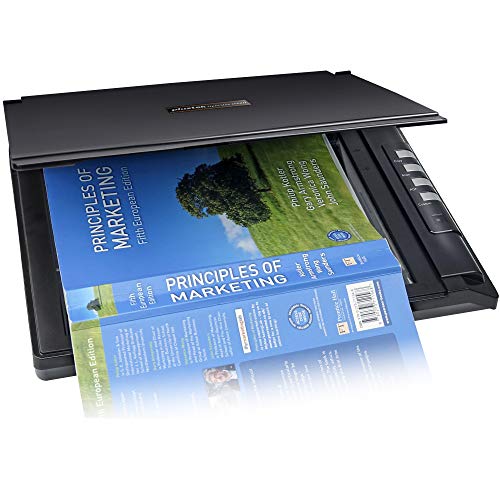
- 3-second scans at 300 dpi
- Searchable, editable PDF output
- Windows 7/8/10/11 TWAIN support
Best For: Users who want a simple Windows flatbed scanner with searchable PDFs
Portable Thin-Book Scanning

- About 1 second per page
- Windows XP through 11 support
- Portable 4 lb foldable design
Best For: Windows users needing a portable scanner for thin books and papers
Large-Format Overhead Capture
VIISAN A2 Document Scanner for Windows

- Captures up to A2 size
- Under 1.5 seconds per page
- Windows 7/8/10/11 support
Best For: Users who need fast Windows scanning for large books and oversized pages
Compact Flat-Page Helper
- Works with Windows XP through 11.
- Scans in under 1 second per page.
- OCR supports 180+ languages.
Best For: Windows users scanning flat books and documents fast.
Large-Format Book Capture

- Supports A2 large-format scanning.
- 26MP capture with software-enhanced detail.
- Auto-flatten and OCR export tools included.
Best For: Oversized books, newspapers, manuscripts, and maps.
Curved-Page Lighting Pick

- Three-laser flattening helps curved pages.
- Scans in about 2 seconds per page.
- Includes side lights and auto-scan features.
Best For: Windows users scanning curved books in a lamp-style setup.
Premium Book Scanner
CZUR ET MAX Professional Book & Document Scanner

- 38MP sensor with 1.5-second page scans
- Curve-flattening tech for bound books
- OCR to Word, Excel, and searchable PDF
Best For: High-volume Windows scanning of books and A3 documents
Portable Handheld Scanner
IRIScan Book 7 White Portable Wireless Handheld Scanner

- Portable rechargeable handheld design
- Up to 1050 DPI with SD card saving
- Includes Readiris OCR and PDF tools
Best For: On-the-go Windows scanning with compact portability
Advanced Desktop Book Scanner
CZUR ET24 Pro Professional Book Scanner
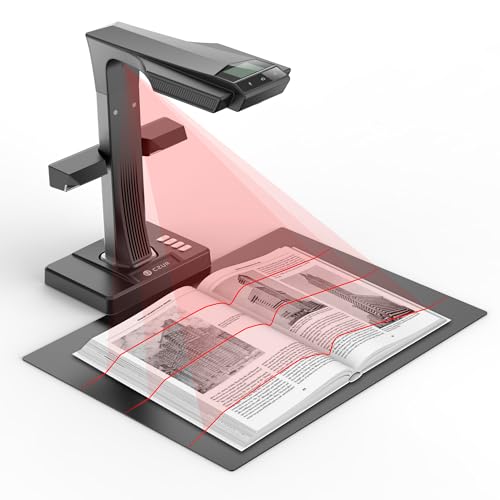
- 24MP camera with 320 DPI capture
- Flattening tech plus side and head lights
- ABBYY OCR with A3, HDMI, and preview screen
Best For: Windows desktop scanning of books and documents with OCR
Laser-AI Book Scanning – CZUR Aura Pro for Mac and Windows
If you’re comparing book scanners for windows and want a fast, flexible option for mixed document and book work, the CZUR Aura Pro stands out for its 2-second-per-page speed and support for Windows XP through 11. It also handles A3 and A4 capture, outputs JPG, Word, PDF, and searchable PDF, and uses OCR for 180+ languages.
Best For: Windows users who want a fast book and document scanner with searchable PDF output and curved-page flattening.
Pros:
- Very fast scanning at about 2 seconds per page
- Supports Windows XP/7/8/10/11
- OCR for 180+ languages and searchable PDF output
- Laser-based curved-page flattening for book scans
Cons:
- Thai, Hebrew, and Arabic are not currently supported in OCR
- Requires USB connection and desk space for the overhead setup
This is a strong choice if your priority is speed plus book-friendly scanning features rather than a traditional flatbed design. The built-in lighting and AI software add convenience for everyday scanning jobs.
One-Key Flatbed Simplicity – Plustek OpticSlim 2700 for Windows
Among book scanners for windows, the Plustek OpticSlim 2700 is a practical flatbed pick if you want straightforward scanning with simple controls. It supports Windows 7/8/10/11 via TWAIN, scans in about 3 seconds in color at 300 dpi, and can create editable, searchable PDFs.
Best For: Windows users who want a simple flatbed scanner for quick document and book-related scanning tasks.
Pros:
- Fast scanning up to 3 seconds at 300 dpi color
- Editable and searchable PDF support
- One-touch buttons for Copy, Scan, PDF, and Custom
- Auto rotate, deskew, and crop tools in software
Cons:
- Minimum system requirement lists Windows 7
- Flatbed format is less convenient for thick books than overhead scanners
If you prefer an easy-to-use scanner with basic one-key operation and useful cleanup tools, this model is appealing. It is best suited to users who value simplicity and searchable files over specialized book-flattening features.
Portable Thin-Book Scanning – CZUR Shine Ultra for Windows
If you’re shopping book scanners for windows and want something portable, the CZUR Shine Ultra is built for fast overhead capture with Windows XP through 11 support. It scans A3 and A4 materials at about 1 second per page, supports OCR in 180+ languages, and doubles as a document camera for Zoom and Google Meet.
Best For: Windows users who want a lightweight overhead scanner for thin books, papers, and remote teaching use.
Pros:
- About 1 second per page scanning speed
- Works with Windows XP/7/8/10/11
- OCR supports 180+ languages
- Portable, foldable, and lightweight at 4 lbs
Cons:
- Only suitable for thinner books; ET series is recommended for thicker books
- Not compatible with Android or iOS
This is a smart pick if portability and speed matter more than scanning very thick books. The adjustable neck and camera-style workflow make it especially useful for quick capture and online presentations.
Large-Format Overhead Capture – VIISAN A2 Document Scanner for Windows
For book scanners for windows that need extra page coverage, the VIISAN Document Scanner is designed for large-format capture up to A2, with support for smaller A3 material too. It uses USB connectivity, scans in under 1.5 seconds per page, and works with Windows 7, 8, 10, and 11 as well as macOS 10.12 or later.
Best For: Windows users who need a fast overhead scanner for large books, newspapers, maps, and oversized documents.
Pros:
- Captures up to A2-sized items and smaller
- Under 1.5 seconds per page scanning speed
- Works with Windows 7/8/10/11
- Suitable for thick books and other large-format originals
Cons:
- Resolution is listed at 300 dpi, which may not suit every detail-heavy workflow
- No OCR or file-format output details were provided in the notes
This model makes sense when the main challenge is size rather than simplicity. If you need an overhead scanner that can handle bigger pages quickly, the A2 coverage is its biggest advantage.
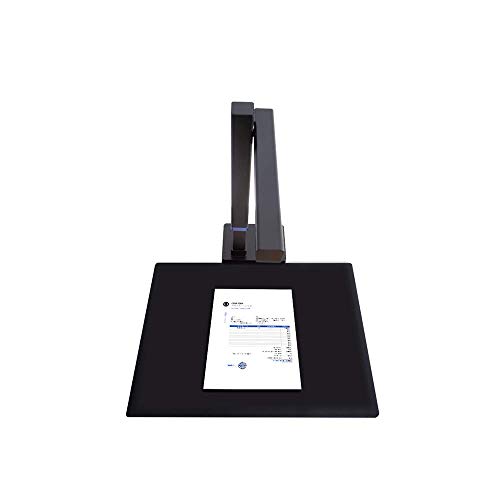
Compact Flat-Page Helper – CZUR Shine800A3 Pro
If you want book scanners for windows that can also double as a document camera, the CZUR Shine800A3 Pro is a practical pick for flat papers, homework, and office pages up to A3 size. It scans in under a second per page and includes OCR support for more than 180 languages, making it useful when speed matters more than archival-grade features.
Best For: Windows users who need a fast overhead scanner for flat books, documents, and remote-teaching use.
Pros:
- Works with Windows XP/7/8/10/11 and macOS.
- Ultra-fast scanning speed: less than 1 second per page.
- OCR supports 180+ languages for text recognition.
- Includes smart paging, auto cropping, combine sides, and stamp mode.
Cons:
- Not recommended for glossy photos or glossy magazines.
- Designed for flat materials only, with thickness limits for A3/A4 items.
- Thai, Hebrew, and Arabic OCR are not supported.
For Windows-based scanning setups, this model stands out for its speed and simplicity rather than maximum format flexibility. If your workflow is mostly flat pages and digital capture, it covers the essentials well.
Large-Format Book Capture – VIISAN S21 A2 Scanner
Among book scanners for windows, the VIISAN S21 is the most large-format option here, built for A2 and A3 scanning with a 26MP camera and software tools that flatten curved pages. It is aimed at users who need to capture oversized books, newspapers, manuscripts, or maps, while still getting OCR output into editable formats.
Best For: Windows and macOS users who need A2-size overhead scanning for books, newspapers, and other large originals.
Pros:
- Captures up to A2 size, making it suitable for large-format materials.
- 26MP resolution with software-enhanced up to 600 DPI.
- Auto-flatten, finger removal, edge repair, and double-page split tools.
- OCR can export to PDF, Word, Excel, EPUB, and text formats.
Cons:
- Bundled OfficeCam software is not compatible with ARM-based Windows devices.
- Glary papers are not recommended.
- Built-in LEDs are not ideal in bright light.
If your scanning needs go beyond standard books, the S21’s A2 coverage is the key advantage. It offers a strong mix of format size, software corrections, and output options for demanding workflows.
Curved-Page Lighting Pick – CZUR Aura Pro
The CZUR Aura Pro is a strong choice if you want book scanners for windows that are built for curved pages and faster scanning. Its laser-based page flattening, supplemental side lights, and auto-detect page turn features are designed to make book capture easier, while still working with Windows XP through 11.
Best For: Windows users who want a portable overhead scanner for books, curved pages, and a desk-lamp-style setup.
Pros:
- Uses three laser lines to help flatten curved book pages.
- Ultra-fast scanning at about 2 seconds per page.
- Works with Windows XP/7/8/10/11 and macOS.
- Includes supplemental side lights, auto scan, and foot pedal support.
Cons:
- Thai, Hebrew, and Arabic OCR are not supported.
- Sound-controlled lamp functions can be affected by noise and distance.
- Works best with materials smaller than A3.
For users who want a scanner that also behaves like a desk lamp, the Aura Pro offers an interesting blend of convenience and book-capture features. Its page-flattening tech makes it especially appealing for curved bound materials.
Premium Book Scanner – CZUR ET MAX Professional Book & Document Scanner
If you want book scanners for windows that can handle large, curved pages without unbinding the book, the CZUR ET MAX is built for high-volume digitizing. Its 38MP sensor, curve-flattening tech, and fast 1.5-second page capture make it a practical pick for archives, offices, and anyone scanning stacks of books or documents.
Best For: Users who need fast, high-resolution book and document scanning on Windows with OCR and A3 support.
Pros:
- 38MP CMOS sensor delivers high-resolution scans up to 7168 × 5376 at 410 DPI.
- Patented curve-flattening technology helps clean up bound-book pages automatically.
- OCR converts scans into editable Word, Excel, and searchable PDF files.
- Supports A3-sized documents and works with Windows, macOS, and Linux.
Cons:
- Not recommended for glossy or highly reflective materials.
- Arabic OCR is limited to ET Series scanners on Windows only.
- Linux support is limited to Ubuntu 20.04 through 24.04.
Overall, the ET MAX is the strongest fit when scan quality, speed, and flattening accuracy matter more than portability. It is a capable Windows-friendly option for large book projects and mixed document workflows.
Portable Handheld Scanner – IRIScan Book 7 White Portable Wireless Handheld Scanner
For book scanners for windows that prioritize portability, the IRIScan Book 7 White is a lightweight handheld option you can use on the go. It scans directly to SD card or via USB, includes OCR software, and offers up to 1050 DPI for documents and photos when you need a compact travel-friendly setup.
Best For: Travelers, students, and mobile users who want a compact Windows-compatible book scanner with OCR.
Pros:
- Handheld, rechargeable, and compact for easy mobile scanning.
- Up to 1050 DPI with scan-to-SD card or USB computer transfer.
- Includes Readiris OCR and PDF software for editable output.
- Compatible with both Windows and Mac, with no driver needed.
Cons:
- Does not support Wi‑Fi connectivity.
- USB adapter and power setup may be less convenient than a desk scanner.
- Best for single-page capture rather than stationary bulk workflows.
The IRIScan Book 7 White makes sense if you value convenience and flexibility over desktop-style speed. It is a practical pick for scanning a few pages at a time, especially when you need a scanner that can travel easily.
Advanced Desktop Book Scanner – CZUR ET24 Pro Professional Book Scanner
If you are comparing book scanners for windows and want a desktop model with strong flattening and OCR features, the CZUR ET24 Pro is a well-rounded choice. It uses a 24MP camera, supports A3 scanning, and adds side lights plus a head light to help reduce reflection during everyday book and document capture.
Best For: Windows users who want a feature-rich book scanner for documents, books, and mixed office material.
Pros:
- 24MP HD camera with 320 DPI and 5696 × 4272 resolution.
- Flattening technology helps correct curved book pages after pixel transformation.
- ABBYY OCR supports editable PDF, Word, and Excel output in 180+ languages.
- Includes A3 support, HDMI output, and a 2.0-inch preview screen.
Cons:
- Very glare-prone papers are not recommended.
- Heavier than portable handheld scanners at 4.5 kg.
- Linux support is limited to Ubuntu 20.04 through 24.04.
ET24 Pro is a smart middle ground if you want the benefits of a professional book scanner without moving all the way up to a higher-resolution model. It is especially useful when you want reliable Windows compatibility, preview control, and solid OCR performance.
How We Picked These Book Scanners for Windows
We looked for models that are practical for real Windows users: reliable software support, easy setup, strong scan quality, and useful features like OCR, auto-flattening, and page-correction tools. We also considered whether each scanner suits occasional home use, frequent office scanning, or larger-format books and documents.
Quick Comparison
Portable handheld and overhead scanners are best when you want fast setup, minimal desk space, and the ability to scan bound books without pressing the spine flat. Flatbed and larger-format scanners are better when consistency, image detail, or very clean text capture matters more than speed. If you want the simplest workflow, look for one-click capture, automatic page detection, and Windows-compatible OCR software.
Key Buying Factors for Book Scanners for Windows
Scan Area and Book Size
Check whether the scanner supports A4, A3, or larger formats. Bigger scan beds or overhead capture areas are important for textbooks, manuals, and oversized pages.
Resolution and Text Clarity
Higher resolution helps preserve small print, illustrations, and marginal notes. For books, crisp text capture is usually more important than flashy image specs.
Flattening and Correction Tools
Features like auto-flatten, deskew, finger removal, and curve correction make scanned pages easier to read and reduce editing time. These are especially valuable for book scanning because pages rarely lie perfectly flat.
OCR and Windows Software Support
If you want searchable PDFs or editable text, OCR is essential. Make sure the software works smoothly on Windows and offers the export formats you actually need.
Speed and Workflow
Fast scan times matter if you are digitizing stacks of books or repeated office documents. For lighter use, a simpler scanner may be enough if it offers dependable image quality.
Who Should Buy Which Book Scanners for Windows?
Students and home users often do best with compact, easy-to-use models that fit a small workspace. Teachers, researchers, and office teams may prefer overhead scanners with stronger OCR and batch-friendly tools. If you scan larger books, archives, or mixed-size materials, choose a model with A3 or A2 support. For the most flexible setup, Book Scanners for Windows with wireless or USB operation and robust correction software are usually the safest choice.