
In 2026, securing your business network is more critical than ever. With cyber threats evolving, having the right firewall router can make all the difference. You need a solution that not only protects your data but also offers advanced features and reliability. From multi-WAN capabilities to robust VPN support, the options are vast. Let’s explore the top contenders that can effectively safeguard your network and keep your operations running smoothly.
TP-Link ER7206 Multi-WAN Gigabit VPN Router

If your business demands robust network security and high performance, the TP-Link ER7206 Multi-WAN Gigabit VPN Router is an excellent choice. With a flexible port configuration, it supports one Gigabit SFP WAN port and up to 700 connected clients, ensuring your network handles substantial traffic effortlessly. Its Omada SDN integration allows for seamless management across devices, whether you choose a hardware controller, software, or cloud-based option. The advanced security features, including a powerful SPI firewall and support for multiple VPN types, keep your data safe. Weighing just 2.01 pounds, it’s an efficient solution for any business environment.
Best For: Businesses that require high-performance networking with robust security features and extensive client support.
Pros:
- Flexible Port Configuration: Supports various WAN and LAN configurations for tailored networking needs.
- High Client Capacity: Can handle up to 700 connected clients and 150,000 associated devices, making it ideal for large networks.
- Comprehensive Security Features: Offers advanced firewall policies and multiple VPN connections for enhanced data protection.
Cons:
- Standalone Mode Limitations: May not provide the same level of management and control as when integrated into the Omada SDN platform.
- Weight: At 2.01 pounds, it could be considered heavier compared to some other router options.
- Learning Curve: Users may need time to fully understand the advanced features and optimal configurations for their specific needs.
TP-Link ER707-M2 Omada Multi-Gigabit VPN Router

The TP-Link ER707-M2 Omada Multi-Gigabit VPN Router stands out for businesses demanding high network capacity and robust security. With dual 2.5Gig WAN ports and extensive port configurations, you’ll enjoy high-bandwidth connectivity. Supporting over 1,000 clients and a staggering 500,000 concurrent sessions, it handles heavy network demands effortlessly. Security’s a priority, offering multiple VPN connections, including IPsec and OpenVPN, ensuring secure remote access. Plus, with a 5-year warranty and free technical support during business hours, you can trust that assistance is always available. This router’s features make it an ideal choice for your business network needs.
Best For: Businesses that require high network capacity, robust security, and seamless remote access capabilities.
Pros:
- High performance with dual 2.5Gig WAN ports and support for over 1,000 clients.
- Extensive security features with multiple VPN options for secure remote access.
- Backed by a 5-year warranty and reliable technical support.
Cons:
- May be overkill for small businesses with lower network demands.
- Initial setup might be complex for users unfamiliar with advanced networking.
- Limited to wired connectivity options; Wi-Fi capabilities are not mentioned.
ASUS ExpertWiFi EBG15 Gigabit VPN Wired Router

Designed specifically for small-to-midsized businesses, the ASUS ExpertWiFi EBG15 Gigabit VPN Wired Router excels in providing fast and secure network solutions. With three WAN Ethernet ports and a USB WAN port, you can optimize connectivity and guarantee stable internet through load balancing. Its commercial-grade security features, including IPS and VPN capabilities, protect your network from threats, especially on public WiFi. Plus, the easy setup via the ASUS ExpertWiFi mobile app makes management a breeze. Each Ethernet port can be assigned VLAN IDs for added security, making this router a solid choice for your business needs.
Best For: Small-to-midsized businesses looking for fast, secure, and scalable network solutions.
Pros:
- Commercial-grade security features including IPS and VPN capabilities.
- Supports load balancing for optimized multi-line broadband usage.
- Easy setup and management via the ASUS ExpertWiFi mobile app.
Cons:
- Limited to wired connections, which may not suit all users.
- Customer rating of 3.7 out of 5 stars indicates mixed reviews.
- May require additional configuration for advanced features like VLAN IDs.
TP-Link ER605 V2 Wired Gigabit VPN Router

For businesses seeking robust security and reliable connectivity, the TP-Link ER605 V2 Wired Gigabit VPN Router stands out with its advanced VPN capabilities. It features up to three WAN Ethernet ports and a USB WAN for mobile broadband, ensuring seamless internet access. With five gigabit ports, you can optimize your network’s performance while balancing load across multiple connections. The router employs advanced security measures like an SPI firewall and DoS defense, supporting up to 20 LAN-to-LAN IPsec connections. Its compliance with IEEE standards guarantees reliable operation, making it an ideal choice for safeguarding your business network.
Best For: Businesses seeking robust security and reliable connectivity with advanced VPN capabilities.
Pros:
- Supports multiple WAN ports for optimized bandwidth usage and load balancing.
- Advanced security features, including SPI firewall and DoS defense, for enhanced protection.
- Compliance with IEEE standards ensures reliable operation and network performance.
Cons:
- Limited to 20 LAN-to-LAN IPsec connections, which may not suffice for larger networks.
- USB WAN port requires additional equipment for mobile broadband connectivity.
- Advanced features may require technical knowledge to configure properly.
TP-Link ER8411 Enterprise Wired 10G VPN Router

Offering robust performance for businesses that demand high-speed connectivity, the TP-Link ER8411 Enterprise Wired 10G VPN Router stands out with its impressive WAN capabilities, featuring up to 10 ports that can handle a diverse range of network needs. With the ability to support over 1,000 clients and 2,300,000 concurrent sessions, this router guarantees efficient load balancing for ideal bandwidth utilization. Its advanced security features, including an SPI firewall and DoS defense, protect your data effectively. Plus, with Omada SDN support and centralized management via the Omada app, you can easily control your network from anywhere.
Best For: Businesses that require high-speed connectivity and robust security for managing a large number of clients.
Pros:
- High performance with support for over 1,000 clients and 2,300,000 concurrent sessions, ensuring efficient network management.
- Advanced security features including SPI firewall and DoS defense to protect sensitive data and maintain network integrity.
- Omada SDN support allows for centralized management and remote access, making it easy to control network settings from multiple locations.
Cons:
- Higher price point compared to standard routers, which may not be suitable for small businesses or home users.
- Complex setup that may require technical expertise to fully utilize all features and functionalities.
- Bulkier dimensions and weight may not be ideal for environments with limited space.
Firewalla Cyber Security Firewall for Home & Business
The Firewalla Cyber Security Firewall is an ideal choice for both home and business users seeking robust protection against cyber threats like malware and hacking. With its Intrusion Prevention System (IPS) supporting 500 Mbits, it can serve as a router or bridge existing ones. You’ll enjoy extensive cybersecurity features, including protection against viruses, phishing, and data theft, especially on public WiFi. Smart parental controls help monitor and filter content for safe browsing. Setup is user-friendly via the Firewalla App, and you can choose between Router Mode or Transparent Bridge Mode, ensuring it fits your network seamlessly. Support is readily available for any questions.
Best For: Home and business users looking for comprehensive cybersecurity protection against malware and hacking while enjoying advanced network management features.
Pros:
- Comprehensive cybersecurity with protection against viruses, malware, phishing, and data theft, especially on public WiFi.
- User-friendly setup through the Firewalla App, allowing easy configuration in Router Mode or Transparent Bridge Mode.
- Smart parental controls that help monitor internet activities and filter unsafe content for children.
Cons:
- Requires router login for basic configuration, which may be challenging for some users.
- Limited IPS bandwidth of 500 Mbits may not be sufficient for high-traffic networks.
- Compatibility varies across different network setups, necessitating consultation of the Compatibility Guide for optimal use.
FortiGate-40F Firewall Appliance (FG-40F)
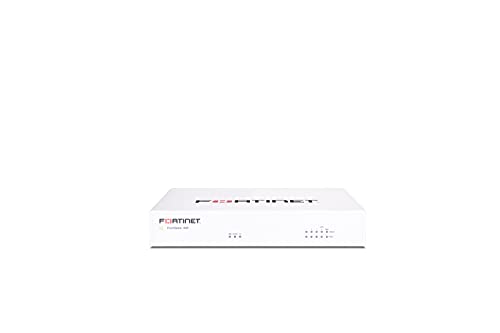
Small to mid-sized businesses seeking robust and reliable network security will find the FortiGate-40F Firewall Appliance (FG-40F) an exceptional choice. This compact device features five Gigabit Ethernet RJ45 ports, including one WAN port and four internal ports, ensuring flexible connectivity. You’ll benefit from impressive performance, with up to 1 Gbps IPS throughput and 600 Mbps threat protection, thanks to Fortinet’s advanced security processor technology. Plus, its AI-powered FortiGuard Labs integration provides cutting-edge threat protection. With a user-friendly management console and Zero Touch Integration, deploying and managing your network security has never been easier.
Best For: Small to mid-sized businesses seeking robust network security solutions with easy management and deployment options.
Pros:
- Compact and fanless design allows for quiet operation, making it suitable for office environments.
- High performance with up to 1 Gbps IPS throughput and 600 Mbps threat protection ensures effective security without sacrificing speed.
- AI-powered threat protection through FortiGuard Labs enhances security against both known and unknown threats.
Cons:
- Lacks subscription-based services, which may limit access to ongoing updates and advanced features.
- Limited to 5 GE RJ45 ports, which may not suffice for larger networks with multiple devices.
- May require technical expertise for optimal configuration and management, potentially posing a challenge for small businesses without dedicated IT staff.
Alta Labs Route10 Multi-WAN Router

For businesses seeking robust and reliable network performance, the Alta Labs Route10 Multi-WAN Router stands out as an exceptional choice. With its high-performance 10 Gigabit capabilities and a powerful quad-core Qualcomm processor, you’ll experience low latency and fast packet processing. It supports advanced features like VLAN tagging, QoS prioritization, and NAT port forwarding, ensuring seamless network management. Multi-WAN configurations provide redundancy and load balancing, keeping your connection steady. Plus, with PoE+ functionality, you can power devices directly through Ethernet. Real-time monitoring helps you optimize traffic and maintain security with VPN protocols, giving you peace of mind for your network.
Best For: Businesses and advanced users seeking high-performance, reliable network solutions with advanced features for optimal management and security.
Pros:
- High-performance 10 Gigabit capabilities ensure fast data transfer and low latency for demanding applications.
- Multi-WAN configurations provide redundancy and load balancing, enhancing connection stability and uptime.
- Real-time monitoring allows for immediate optimization of traffic flow and quick identification of network issues.
Cons:
- Higher cost compared to basic routers, which may not be suitable for smaller home networks.
- Complex setup may require advanced networking knowledge for optimal configuration and management.
- Limited PoE+ ports may restrict the number of devices that can be powered directly through Ethernet.
D-Link Guardian 600 PoE Multi-Gig Business Router (DBR-600-P)

Ideal for small and medium-sized businesses like cafés and retail chains, the D-Link Guardian 600 PoE Multi-Gig Business Router (DBR-600-P) offers powerful features that simplify network management. With eight 2.5GbE PoE+ LAN ports, it delivers high-speed connectivity and supports devices like cameras and phones. You’ll appreciate the enterprise-grade security, including WPA3 encryption and a robust SPI firewall. Plus, the ability to manage up to ten Access Points from a single dashboard makes it user-friendly. Its multi-WAN failover guarantees reliable internet access, perfect for maintaining your operations without any hiccups.
Best For: Small and medium-sized businesses such as cafés, clinics, and retail chains seeking reliable network management and high-speed connectivity.
Pros:
- Enterprise-grade security with WPA3 encryption and robust SPI firewall for enhanced protection.
- High-speed connectivity with eight 2.5GbE PoE+ LAN ports, eliminating 1GbE bottlenecks for seamless uploads and streaming.
- User-friendly centralized management allows control of up to 10 Access Points from a single dashboard, simplifying network management.
Cons:
- Mixed customer feedback with a rating of only 3.6 out of 5 stars from 5 reviews.
- Limited to managing only 10 Access Points, which may not be sufficient for larger businesses.
- Availability set for a future date (August 29, 2025), potentially delaying access for interested buyers.
SonicWall TZ270 Gen7 Firewall (02-SSC-2821)

The SonicWall TZ270 Gen7 Firewall (02-SSC-2821) stands out as an excellent choice for small businesses and branch offices seeking robust security without the complexity of high-end solutions. With a firewall throughput of 2 Gbps and support for up to 750,000 concurrent connections, it’s designed to handle your network’s demands seamlessly. You’ll benefit from advanced threat prevention against ransomware and malware, thanks to features like Reassembly-Free Deep Packet Inspection and Capture ATP cloud sandboxing. Plus, its Zero-Touch deployment simplifies setup, making it perfect for remote rollouts. Rated 4.5 stars, it’s a reliable option for safeguarding your network.
Best For: Small businesses, branch offices, and retail environments looking for an entry-level firewall with robust security features.
Pros:
- High Performance: Offers a firewall throughput of 2 Gbps, suitable for handling demanding network traffic.
- Advanced Security Features: Provides protection against ransomware and malware with technologies like Reassembly-Free Deep Packet Inspection and Capture ATP cloud sandboxing.
- Easy Deployment: Zero-Touch deployment simplifies the installation process, making it ideal for remote rollouts.
Cons:
- Limited VLAN Support: Supports only up to 64 VLANs, which may be restrictive for larger networks.
- Entry-Level Limitations: As an entry-level device, it may lack some advanced features found in higher-end firewalls.
- Weight and Size: Weighing 1.8 pounds and having a compact size may limit placement options for some users.
Factors to Consider When Choosing a Business Firewall Router
When choosing a business firewall router, you need to contemplate several key factors. Think about your network capacity requirements, the importance of security features, and whether you need VPN connection support. Additionally, management options and performance levels can greatly impact your network’s efficiency and security.
Network Capacity Requirements
Choosing a business firewall router involves carefully considering your network capacity requirements, as these can greatly impact performance and security. First, assess the maximum number of concurrent connections your router can support; some models handle up to 750,000 connections, which is essential for busy environments. Next, determine the maximum client capacity—routers that support over 1,000 clients guarantee all your devices can connect seamlessly. Also, look at session handling capabilities; high-performance routers can manage up to 2,300,000 concurrent sessions, ideal for heavy traffic. Evaluate the number of WAN ports as multiple ports facilitate load balancing and failover, enhancing reliability. Finally, consider advanced features like VLAN support for better segmentation, optimizing both performance and security.
Security Features Importance
Evaluating your network capacity requirements lays the groundwork for understanding security needs. Advanced security features are vital for protecting your business from unauthorized access and cyber threats. Look for routers with SPI firewalls and DoS defense to fortify your defenses. Effective measures like IP/MAC/URL filtering can prevent malicious traffic and unauthorized devices from joining your network. Additionally, a firewall with extensive threat protection capabilities, including intrusion prevention systems and real-time deep packet inspection, safeguards sensitive data against evolving threats. Remember, as your business grows, the router’s ability to handle a high number of concurrent connections is essential for maintaining both performance and security. Prioritize these features to guarantee a robust defense for your network.
VPN Connection Support
As you explore options for a business firewall router, understanding VPN connection support is essential for ensuring secure remote access. Consider the number of concurrent VPN connections the router can handle; some models support over 100 LAN-to-LAN IPsec connections. Look for a router that offers various VPN protocols like OpenVPN, L2TP, and PPTP for compatibility with different devices. Assess the maximum number of supported VPN client connections, as some routers allow up to 1,000 clients simultaneously, which is crucial for larger teams. Don’t overlook performance metrics related to VPN traffic; routers with advanced features should maintain strong throughput rates. Finally, check for additional security options like intrusion prevention systems to further protect your sensitive business data.
Management and Configuration Options
When it comes to selecting a business firewall router, the management and configuration options can greatly impact your network’s performance and security. Look for routers that offer flexibility, such as hardware controllers, software controllers, or cloud-based systems. Mobile app support can make it easier for you to monitor and configure your network remotely, even if you’re not tech-savvy. Advanced features like VLAN support enhance security, while policy-based routing helps prioritize traffic. Real-time monitoring gives insights into bandwidth usage and device status. Additionally, zero-touch deployment simplifies setup, eliminating the need for on-site IT support. Centralized management interfaces can streamline administration across multiple devices, boosting efficiency and minimizing configuration errors. Choose wisely!
Performance and Throughput Levels
Choosing the right business firewall router means considering not just management and configuration options, but also performance and throughput levels. You want a router that can handle a high number of concurrent connections—some models support up to 2,300,000 sessions. Look for throughput capacity too; routers offering up to 2 Gbps for firewall throughput and 750 Mbps for threat prevention can greatly boost your network speed. It’s essential that the router accommodates over 1,000 client devices simultaneously. Advanced features like load balancing and multi-WAN configurations can optimize bandwidth usage, enhancing overall performance. Don’t forget to check the maximum threat protection throughput, ensuring your network maintains speed while scanning for threats without compromising security.
Port and Connectivity Types
Connectivity options play an essential role in selecting a business firewall router. You’ll want to take into account the number and types of WAN ports available. Multiple WAN connections support load balancing and failover strategies, enhancing reliability. Look for a router with a mix of Gigabit and multi-Gigabit ports to boost bandwidth for high-demand applications. USB WAN ports can also be beneficial, providing mobile broadband backup or external storage solutions. Additionally, the presence of Power over Ethernet (PoE) ports simplifies deploying devices like access points and cameras by eliminating separate power sources. Finally, confirm the router supports modern networking standards like VLAN tagging and QoS for better traffic management and security.
Scalability for Future Growth
Scalability is crucial for any growing business, and selecting a firewall router that can adapt to your future needs is key. First, consider the maximum client capacity; options like the TP-Link ER707-M2 support over 1,000 clients, which is essential for expanding networks. Next, evaluate the maximum concurrent sessions a router can handle—routers like the TP-Link ER8411 can support up to 2,300,000 sessions, perfect for high-demand environments. Look for flexible port configurations, including multiple WAN ports, to accommodate increasing bandwidth needs. Additionally, assess integration capabilities with software-defined networking (SDN) platforms, as this simplifies device management. Finally, verify the router features load balancing to optimize bandwidth and adapt seamlessly as your network demands grow.
Warranty and Support Services
When evaluating business firewall routers, considering warranty and support services is essential for ensuring long-term reliability. A robust warranty offers peace of mind, with options from 30-day return policies to multi-year coverage, enhancing customer satisfaction. Look for manufacturers that provide thorough warranty services, covering hardware malfunctions to minimize downtime. Technical support availability is vital; many routers offer free assistance during specific hours to help you troubleshoot effectively. Warranty terms can vary, so check if they include on-site service or only remote support. Additionally, access to firmware updates and ongoing support can greatly improve your router’s performance and security over time. Prioritize these factors to make an informed decision that safeguards your network.