
Keeping a photo archive organized gets much easier when you can offload, clone, and swap drives without opening a computer case. The best dock makes backups faster and long-term storage far more convenient.
This roundup of hard drive docking stations for photo storage focuses on speed, drive compatibility, and practical features that matter for photographers managing growing RAW and edited image libraries.
Best 10 Hard Drive Docking Stations for Photo Storage Picks for 2026
Dual-Bay Cloning Dock
SABRENT USB 3.0 Dual Bay Docking Station

- Supports 2.5-inch and 3.5-inch SATA HDDs/SSDs
- Offline cloning lets you copy drive to drive without a PC
- USB 3.0 transfer speeds up to 5Gbps
Best For: Photographers who want a simple two-drive dock for photo archiving and cloning
High-Capacity DAS Tower
Yottamaster 5 Bay External Enclosure

- Five-bay design with up to 110TB listed capacity
- Aluminum body and 80mm fan help with cooling
- Supports 2.5-inch and 3.5-inch SATA HDDs/SSDs
Best For: Large photo libraries that need multi-drive expansion and active cooling
Dual-Bay Hub Dock
WAVLINK USB 3.0 HDD Docking Station

- Dual-bay dock with one-button offline cloning
- Built-in 2-port USB 3.0 hub adds convenience
- Supports 2.5-inch and 3.5-inch SATA HDDs/SSDs
Best For: Photo backups and transfers when you want extra USB ports built in
Single-Bay Bare-Drive Dock
SABRENT USB 3.0 SATA Docking Station

- Single-bay dock for one bare SATA drive
- Tool-free, plug-and-play, and hot-swappable
- Includes 12V adapter for stable 3.5-inch drive use
Best For: Anyone who wants a compact one-drive dock for simple photo storage tasks
Best for Easy Setup
BENFEI USB-C 2-Bay Dock with Offline Clone

- Two-drive dock for simultaneous access and transfers
- Offline clone button works without a PC
- Up to 5Gbps with UASP and stable external power
Best For: Photo backups, drive cloning, and dual-drive storage workflows
Hub-Style Duplicator Dock
MAIWO 2-Bay SATA Cloner with USB Hub

- Dual-bay dock with offline cloning support
- Three USB 3.0 hub ports for extra accessories
- 5Gbps USB 3.0 interface and stable 12V/3A power
Best For: Desk setups that need cloning, photo backups, and USB expansion
Single-Bay Quick-Access Dock
SSK USB 3.0 SATA Dock for 2.5/3.5" Drives
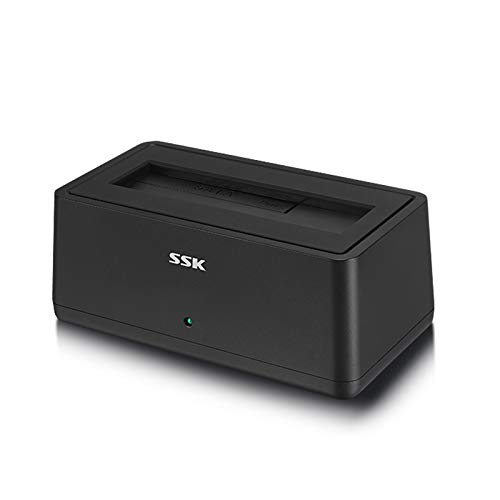
- Single-bay dock for simple drive access
- UASP-supported USB 3.0 up to 5Gbps
- Auto-sleep and LED status help everyday use
Best For: Simple one-drive access to photo archives and backups
Standalone Clone Dock

- Offline 1-to-1 cloning with no PC needed
- Two SATA drives mount separately over USB-C
- Works with 2.5-inch and 3.5-inch SATA HDDs/SSDs
Best For: Users who want dual-drive access and easy offline cloning
Legacy Compatibility Dock
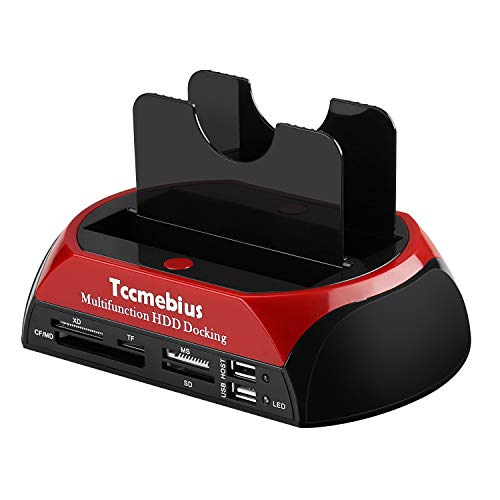
- Accepts both IDE and SATA drives
- Includes card reader and USB hub features
- One-touch backup adds easy copying support
Best For: Legacy photo archives with older IDE or SATA drives
Best Simple Pick
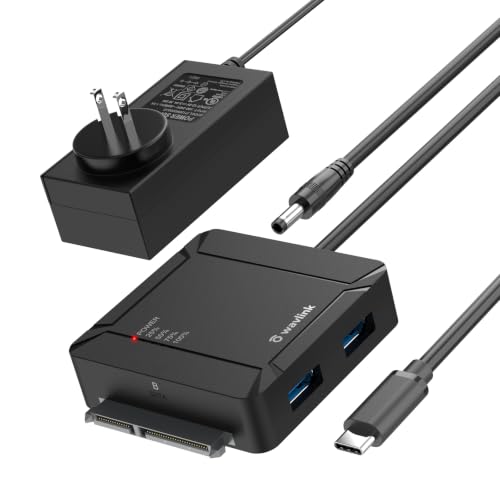
- Offline A-to-B cloning with no PC needed
- Dual SATA bays support up to 36TB total
- Adds two USB 3.0 hub ports
Best For: People who want cloning, storage, and extra USB ports in one dock
Dual-Bay Cloning Dock – SABRENT USB 3.0 Dual Bay Docking Station
If you want hard drive docking stations for photo storage that can both expand space and duplicate drives, this SABRENT dual-bay model is a practical pick. It supports 2.5-inch and 3.5-inch SATA HDDs or SSDs, works plug and play, and includes offline cloning for simple drive-to-drive backups.
Best For: Users who want a simple two-drive dock for photo archiving and offline cloning.
Pros:
- Supports standard 2.5-inch and 3.5-inch SATA hard drives and SSDs
- Offline cloning works without connecting to a PC
- Up to 5Gbps USB 3.0 transfer speeds with backward compatibility
- Supports drives up to 10TB each, 20TB total capacity listed
Cons:
- Offline cloning is limited to up to 60Mbps
- Only supports two drives at a time
- Best suited to bare SATA drives, not other drive types
Overall, this is a straightforward dock for photographers who want an easy way to back up and move image libraries between bare drives. The combination of plug-and-play use and cloning makes it especially useful for routine photo storage workflows.
High-Capacity DAS Tower – Yottamaster 5 Bay External Enclosure
For hard drive docking stations for photo storage that prioritize capacity, this Yottamaster 5-bay enclosure stands out. It supports multiple 2.5-inch and 3.5-inch SATA HDDs or SSDs, offers up to 110TB of listed storage, and uses an aluminum shell with active cooling for larger archives.
Best For: Large photo libraries that need multi-drive expansion and cooler long-term storage.
Pros:
- Holds up to five drives with up to 22TB per drive listed
- Aluminum enclosure with an 80mm temperature-controlled fan
- Supports 2.5-inch and 3.5-inch SATA HDDs and SSDs
- USB 3.0 with up to 6Gbps transfer rate claimed
Cons:
- Non-RAID design, so hardware RAID is not supported
- New drives may need formatting and partitioning
- Bulkier than a simple single- or dual-bay dock
This enclosure is a strong fit when your photo archive has outgrown small docks and you need a larger desktop storage system. It is especially appealing if you value removable trays and cooling for a multi-drive setup.
Dual-Bay Hub Dock – WAVLINK USB 3.0 HDD Docking Station
If you want hard drive docking stations for photo storage with a little extra utility, this WAVLINK dual-bay dock adds a built-in USB 3.0 hub on the side. It supports 2.5-inch and 3.5-inch SATA HDDs or SSDs, includes one-button offline cloning, and is designed for easy plug-and-play use.
Best For: Photo backups and file transfers when you want both dual-drive access and extra USB ports.
Pros:
- One-button offline cloning from drive A to drive B
- Built-in 2-port USB 3.0 hub for keyboard, mouse, or other devices
- Supports 2.5-inch and 3.5-inch SATA HDDs and SSDs
- Claims up to 36TB total capacity and 5Gbps transfer speeds
Cons:
- Offline cloning only works A to B, not both directions
- Drive B must be the same size or larger than drive A for cloning
- Requires the included 12V/3A power supply for operation
For photographers who regularly shuffle files between drives, the added hub makes this dock more versatile than a basic duplicator. It is a sensible choice if you want easy backups plus a few extra ports on your desk.
Single-Bay Bare-Drive Dock – SABRENT USB 3.0 SATA Docking Station
This SABRENT single-bay dock is a simple option for hard drive docking stations for photo storage when you just need quick access to one bare SATA drive. It supports 2.5-inch and 3.5-inch SATA HDDs and SSDs, is tool-free, and is built for easy hot-swap use on compatible systems.
Best For: Users who want a compact dock for one bare SATA drive at a time.
Pros:
- Supports SATA I/II/III 2.5-inch and 3.5-inch drives and SSDs
- Tool-free, plug-and-play, hot-swap design
- Includes a 12V power adapter for stable use with 3.5-inch drives
- USB 3.0 with UASP support on compatible hosts
Cons:
- Single-bay design only works with one drive at a time
- Does not support IDE/PATA, M.2 NVMe, M.2 SATA, or SAS drives
- Uses USB Type-A, so USB-C-only computers need an adapter
For straightforward photo offloading, drive browsing, or occasional backup work, this dock keeps the setup minimal. It is best when you need a reliable bare-drive reader rather than a multi-drive archive station.
Best for Easy Setup – BENFEI USB-C 2-Bay Dock with Offline Clone
If you want hard drive docking stations for photo storage that can also speed up backups and drive-to-drive copying, this BENFEI dual-bay dock is built for practical workflow use. It handles two 2.5″ or 3.5″ SATA HDDs/SSDs at once, supports offline cloning without a PC, and offers up to 5Gbps transfer speeds with UASP for faster large-file transfers.
Best For: Photographers and home users who want a two-drive dock for quick backups, cloning, and expanding storage.
Pros:
- Dual-bay design lets you read, write, and transfer between two drives simultaneously.
- Offline clone function works without a computer for simple drive duplication.
- USB 3.1 Gen 1 with UASP supports up to 5Gbps transfers.
- Dedicated 12V/2.5A power adapter and power switch help keep operation stable.
Cons:
- Cloning requires the target drive to be equal to or larger than the source drive.
- Best suited to SATA drives only, not newer NVMe-style storage.
For a photo workflow built around fast transfers and simple duplication, this dock offers a strong mix of convenience and stability. The dual-bay layout is especially useful if you regularly copy image archives or maintain a backup drive alongside your working disk.
Hub-Style Duplicator Dock – MAIWO 2-Bay SATA Cloner with USB Hub
When you need hard drive docking stations for photo storage that do more than just read a disk, this MAIWO dual-bay cloner adds useful expansion features. It supports 2.5″ and 3.5″ SATA HDDs/SSDs, includes offline cloning, and adds three USB 3.0 hub ports, making it a handy desktop station for backups and file handling.
Best For: Users who want a two-bay dock with cloning plus extra USB ports for a more versatile desk setup.
Pros:
- Supports two SATA drives with up to 48TB total capacity listed in the notes.
- Offline clone mode works without a computer and includes LED progress indicators.
- USB 3.0 interface supports up to 5Gbps bandwidth for quick transfers.
- Three USB 3.0 hub ports add extra connectivity, including one with 2.4A charging support.
Cons:
- Requires a 12V 3A power supply, so it is less portable than bus-powered options.
- Bulkier than a simple single-bay dock due to the added hub functions.
This is a smart pick if you want one station to cover photo archiving, drive copying, and a few everyday USB accessories. The extra hub ports make it more flexible than a basic duplicator, especially on a crowded workbench.
Single-Bay Quick-Access Dock – SSK USB 3.0 SATA Dock for 2.5/3.5" Drives
If you mainly need a straightforward dock for hard drive docking stations for photo storage, this SSK single-bay model keeps the workflow simple. It accepts 2.5″ and 3.5″ SATA HDDs/SSDs, supports UASP with up to 5Gbps transfers, and is designed for quick plug-and-play access to drive contents.
Best For: Photographers who want a simple one-drive dock for fast access to archived photos and backups.
Pros:
- Works with 2.5″ and 3.5″ SATA HDDs/SSDs for flexible drive use.
- USB 3.0 with UASP supports speeds up to 5Gbps.
- Plug-and-play design with LED status display and no driver needed.
- Auto-sleep after 10 minutes helps protect the drive during inactivity.
Cons:
- Single-bay design means no onboard cloning or simultaneous two-drive workflow.
- Listed capacity is lower than the dual-bay options in this roundup.
This is the cleanest choice if you mainly want quick access to one photo drive at a time. It focuses on the essentials: easy mounting, fast transfers, and basic drive protection without extra complexity.
Standalone Clone Dock – SABRENT 2-Bay SATA Dock
If you want hard drive docking stations for photo storage that can also duplicate drives without opening your computer, this SABRENT dual-bay model is built for that workflow. It mounts two SATA drives as separate volumes over USB-C and adds one-button offline cloning when you need a quick backup copy.
Best For: Photographers and home users who want fast two-drive access plus simple offline cloning.
Pros:
- Clones one SATA drive to another with no computer required.
- Reads and writes two drives at once over USB-C.
- Supports 2.5-inch and 3.5-inch SATA HDDs and SATA SSDs.
- Hot-swappable and tool-free for quick drive changes.
Cons:
- Does not support IDE/PATA, M.2, or NVMe drives.
- Offline cloning is limited to up to 60MBps by design.
- USB-C cable is included, so your computer needs USB-C or a separate adapter cable.
For photo backup workflows centered on SATA drives, this dock is a straightforward pick because it combines dual-drive access with true standalone cloning. It is best when you want simple file management today and a fast way to duplicate a working archive later.
Legacy Compatibility Dock – TCC Dual-Slot IDE/SATA Dock
If your photo archive still lives on older disks, this is one of the more flexible hard drive docking stations for photo storage because it accepts both IDE and SATA drives. It also adds a card reader and USB hub, making it useful for basic transfer and media-handling tasks from a single unit.
Best For: People recovering or backing up photos from older IDE or SATA drives.
Pros:
- Supports one IDE port and one SATA port.
- Works with 2.5-inch and 3.5-inch IDE/SATA HDDs and SSDs.
- Includes an all-in-one card reader for several memory card types.
- One-touch backup feature adds simple copy convenience.
Cons:
- Uses USB 2.0, so transfer speeds are limited to 480MB/s as listed.
- OTB software cannot be installed on macOS or iOS systems.
- Not ideal if you only need a modern high-speed SATA-only dock.
This dock makes the most sense when compatibility matters more than speed, especially for aging photo disks or mixed drive collections. If your archive includes legacy hardware, it can save you from hunting down separate adapters.
Best Simple Pick – WAVLINK USB-C SATA Dock
For photo storage setups that need backup, expansion, and a little desk utility, this WAVLINK model is a strong all-around choice among hard drive docking stations for photo storage. It supports two SATA drives at once, includes one-button offline cloning, and adds two USB 3.0 hub ports for peripherals.
Best For: Users who want a dual-bay dock with cloning plus extra USB ports.
Pros:
- One-button offline cloning from drive A to drive B.
- Dual SATA bays support up to 36TB total capacity.
- Built-in 2-port USB 3.0 hub adds everyday convenience.
- Supports hot-swap, UASP, and TRIM on compatible systems.
Cons:
- Cloning only works from A to B.
- Drive B must be the same size or larger than drive A for cloning.
- Requires the included 12V/3A power supply for operation.
This is a practical pick if you want one dock to handle photo archives, quick backups, and basic desktop expansion. The extra hub ports make it especially handy for a workflow where the dock stays connected most of the time.
How We Picked the Best Hard Drive Docking Stations for Photo Storage
We prioritized models that fit real photo-workflow needs: broad 2.5-inch and 3.5-inch SATA compatibility, stable USB performance, tool-free drive access, and enough power for large-capacity archive drives. We also considered offline clone support, which can be useful for making a quick duplicate of a working photo archive or backup disk.
Quick Comparison
For simple single-drive use, a compact USB-to-SATA dock is usually enough. If you manage multiple archives, want to copy one drive to another without a computer, or need more flexibility for rotating backups, a dual-bay model is the better fit. For expanding a photo workstation, docks with USB hub or card reader functions can reduce cable clutter, but they are less important than stable drive support and dependable transfer speeds.
Key Buying Factors for Hard Drive Docking Stations for Photo Storage
Drive Type and Capacity
Choose a dock that supports both 2.5-inch SSDs and 3.5-inch HDDs if you move drives between laptops, desktops, and archive shelves. Check the stated maximum capacity carefully if you plan to use high-capacity photo backup drives.
Connection Speed
USB 3.0 and USB-C models are the most practical choices for large image libraries. Faster transfer rates matter most when importing thousands of RAW files, cloning a full archive, or verifying backups.
Dual-Bay Vs. Single-Bay
Single-bay docks are ideal for occasional access or one-drive-at-a-time workflow. Dual-bay docks are better for photographers who maintain a primary archive and a mirror backup, or who want offline cloning without software.
Power and Stability
Larger 3.5-inch drives need adequate external power, so look for a robust adapter and a design with a stable base. For long copy jobs, consistent power is more important than extra features.
Extra Features
Offline clone buttons, UASP support, and additional ports can be helpful, but only after the basics are covered. For Hard Drive Docking Stations for Photo Storage, reliability and compatibility should come first.
Who Should Buy Which Hard Drive Docking Stations for Photo Storage?
Choose a single-bay dock if you mainly need a quick way to read, back up, or transfer one photo drive at a time. Pick a dual-bay clone-capable model if you want a simple backup workflow for active projects and archives. If your setup involves frequent drive rotation or multiple machines, look for USB-C, strong power delivery, and tool-free access. For photographers who keep extensive image libraries on large HDDs, a dual-bay dock with solid cooling and broad SATA support is usually the best long-term choice.