
When it comes to office presentations, the right projector can make all the difference. You want a model that combines brightness, portability, and connectivity to engage your audience effectively. With so many options available in 2026, choosing the best one for your needs can be overwhelming. Let’s explore the top projectors that promise to enhance your meetings and streamline your presentations, ensuring you make a lasting impression.
Epson Pro EX11000 Wireless Laser Projector
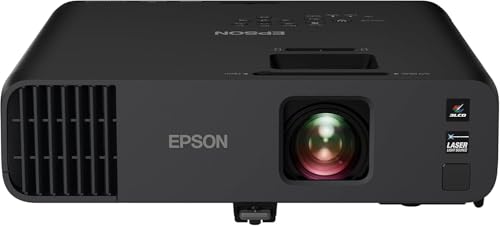
The Epson Pro EX11000 Wireless Laser Projector is ideal for professionals who need exceptional brightness and color accuracy during presentations. With an impressive 4,600 lumens of brightness, it performs beautifully in well-lit rooms. You can display images up to 300 inches, making it 16 times larger than a standard 75-inch flat panel. Its 3-Chip 3LCD technology guarantees vibrant colors without common issues like “rainbowing.” Plus, setup is a breeze with features like optical zoom and auto vertical correction. With versatile connectivity options, you can easily stream content, enhancing your meetings and video conferences. Experience clarity like never before!
Best For: Professionals seeking a high-performance projector that excels in brightness and color accuracy for presentations and video conferences.
Pros:
- Exceptional 4,600 lumens brightness suitable for well-lit environments.
- True 3-Chip 3LCD technology ensures vibrant colors and eliminates common projection issues.
- Easy setup and adjustments with features like optical zoom and auto vertical correction.
Cons:
- Weight of 9.5 pounds may limit portability for some users.
- Requires a wireless network connection of 5 Mbps or faster for optimal streaming.
- Limited to HDMI and USB power connectivity options, which may restrict some users.
Epson EpiqVision Flex CO-W01 Portable Projector

Looking for a portable projector that excels in both work and play? The Epson EpiqVision Flex CO-W01 is your perfect companion. With its 3-Chip 3LCD technology, you’ll enjoy stunning images up to 300 inches, boasting 3,000 lumens of brightness for vibrant colors and exceptional detail. Its compact design fits easily in backpacks, making it ideal for on-the-go presentations. Plus, it features a built-in 5W speaker for clear audio. You can effortlessly connect streaming devices through its HDMI port, ensuring your meetings and entertainment are seamless. Elevate your workspace with this versatile projector that meets all your needs.
Best For: Those seeking a versatile projector for both professional presentations and home entertainment experiences.
Pros:
- Compact and lightweight design makes it easy to transport for on-the-go use.
- 3,000 lumens brightness ensures vibrant images in various lighting conditions.
- Built-in HDMI port allows for seamless connection to popular streaming devices.
Cons:
- Built-in speaker may not provide sufficient audio quality for larger spaces.
- Limited battery life could restrict use in locations without power sources.
- No wireless connectivity options may require additional adapters for some users.
ViewSonic 4000 Lumens WXGA Projector for Home and Office
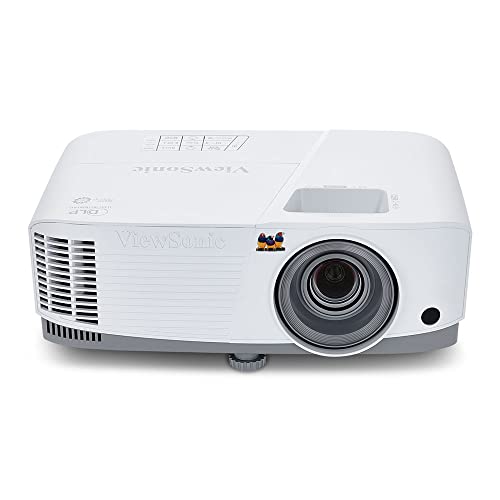
For professionals seeking a reliable projector that excels in both home and office settings, the ViewSonic 4000 Lumens WXGA Projector stands out with its impressive brightness of 4,000 ANSI lumens. You’ll appreciate its WXGA resolution of 1280x800p, ensuring clear, detailed images. The projector projects screen sizes from 80 to 150 inches, perfect for various environments. With low input latency of 16ms and a smooth 120Hz refresh rate, you’ll enjoy fast-paced content without delay. Setup is easy with optical and digital zoom options, plus vertical keystone adjustment for perfect alignment. Enhance your presentations with vibrant color reproduction and high-quality images.
Best For: Professionals and educators seeking a high-brightness projector for clear presentations in both home and office environments.
Pros:
- High brightness of 4,000 ANSI lumens ensures visibility in well-lit rooms.
- WXGA resolution (1280x800p) delivers clear and detailed images for presentations and videos.
- Easy setup with optical zoom and vertical keystone adjustment for perfect image alignment.
Cons:
- Limited to a maximum resolution of WXGA, which may not meet the needs of those requiring Full HD or higher.
- The throw distance of 8.8 ft – 16.4 ft may not be suitable for smaller spaces.
- Ceiling mounting requires compatibility with specific mounts, which may add extra costs.
Native 1080P Projector with WiFi and Two-Way Bluetooth
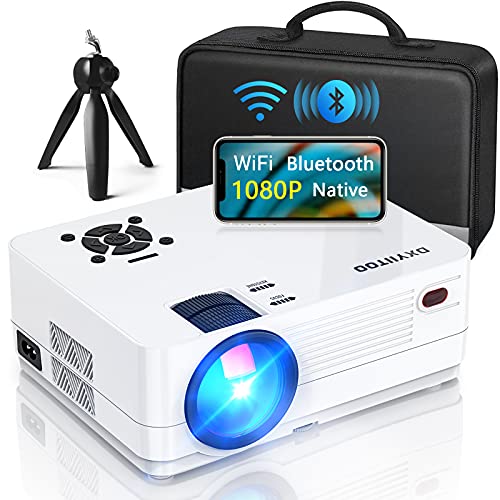
Ideal for professionals seeking seamless connectivity, the Native 1080P Projector with WiFi and Two-Way Bluetooth guarantees effortless presentations. With a native resolution of 1920x1080p and a stunning 300-inch display, your visuals will be vibrant and clear, even in larger settings. It supports a variety of devices, including iOS, Android, and gaming consoles, making it incredibly versatile. The built-in dual speakers and Bluetooth 5.0 enhance your audio experience, ensuring great sound quality. Plus, with a long LED life and robust after-sales support, you’re set for many successful meetings ahead. This projector truly elevates your presentation game.
Best For: Professionals and individuals seeking a versatile projector for presentations, home theater, and entertainment.
Pros:
- High resolution: Native 1080P resolution and compatibility with 4K for superior image quality.
- Versatile connectivity: Supports multiple devices including smartphones, gaming consoles, and laptops, with WiFi and Bluetooth options.
- Large display size: Capable of projecting images up to 300 inches for an immersive viewing experience.
Cons:
- Weight: At 2.86 pounds, it may be less portable compared to lighter models.
- Built-in speakers: While decent, some users may prefer higher-quality external sound systems for optimal audio.
- Brightness in daylight: Performance may be affected in brightly lit environments, requiring dimmer conditions for the best viewing experience.
AuKing Mini Projector, Full HD 1080P
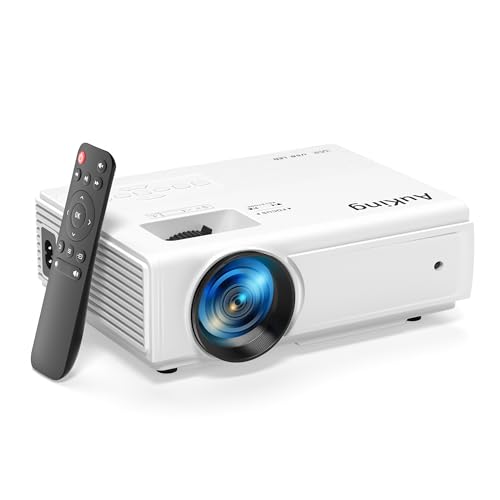
The AuKing Mini Projector, with its Full HD 1080P resolution, is perfect for professionals who need a portable and high-quality presentation tool. Weighing just 2.03 pounds and measuring 7.95 x 6.3 x 2.91 inches, it’s easy to transport. Enjoy vibrant visuals on a screen size ranging from 35 to 200 inches, with a bulb life of up to 55,000 hours. Plus, noise reduction technology keeps fan noise to a minimum, ensuring clear audio from its built-in dual stereo speakers. With versatile connectivity options, you’re set for seamless presentations with your devices. It’s backed by a 2-year warranty for peace of mind.
Best For: Professionals seeking a portable and high-quality presentation tool for meetings and home theater experiences.
Pros:
- Supports Full HD 1080P resolution for vibrant image quality and advanced color reproduction.
- Lightweight and compact design makes it easy to transport and set up anywhere.
- Long bulb life of up to 55,000 hours reduces the need for frequent replacements.
Cons:
- Streaming apps like Netflix and Hulu require external devices for playback due to copyright restrictions.
- Built-in speakers may not provide the best audio quality compared to high-end external speakers.
- Optimal screen size requires a specific distance for the best viewing experience, which may limit placement options.
HAPPRUN 4K Full HD Google TV Smart Projector

Looking to elevate your office presentations? The HAPPRUN 4K Full HD Google TV Smart Projector is your perfect partner. With a brightness of 1500 ANSI lumens and native 1080P resolution, it delivers stunning visuals. Enjoy automatic focus and keystone adjustments, and project images from 40 to 200 inches. Its built-in Google TV gives you access to over 10,000 shows, while voice control via Google Assistant makes navigation easy. Plus, with Dolby-certified audio and Bluetooth 5.2, your meetings will sound as good as they look. Ideal for any setting, this projector guarantees your presentations will impress every time.
Best For: Professionals looking to enhance their office presentations with high-quality visuals and sound.
Pros:
- Built-in Google TV provides access to over 10,000 shows and movies without needing additional devices.
- Dolby-certified audio and Hi-Fi dual speakers ensure a cinematic sound experience for meetings and presentations.
- Flexible installation options allow for easy setup in various environments, whether indoor or outdoor.
Cons:
- Limited native resolution at 1080P may not satisfy users looking for true 4K projection.
- Compact design may sacrifice some durability compared to bulkier, professional-grade projectors.
- Requires a good WiFi connection for optimal performance with smart features and lag-free mirroring.
Aurzen EAZZE D1 Smart Projector with WiFi and Bluetooth

For professionals seeking a powerful yet portable solution for office presentations, the Aurzen EAZZE D1 Smart Projector stands out with its native 1080P resolution and HDR10 support. You’ll enjoy seamless presentations through its built-in Smart TV OS, featuring apps like Netflix and YouTube. With auto-focus and keystone correction, setting up is a breeze. Plus, its Dolby Audio and dual 8W speakers deliver crisp sound for an immersive experience. Connect effortlessly via dual-band WiFi or Bluetooth, while the versatile mounting options make it perfect for any setting. It’s an ideal tool to elevate your meetings and impress your audience.
Best For: Professionals seeking a powerful and portable projector for office presentations and multimedia experiences.
Pros:
- Built-in Smart TV OS with certified apps like Netflix and YouTube for versatile entertainment options.
- Auto-focus and keystone correction make setup quick and easy, enhancing user convenience.
- Dolby Audio with dual 8W speakers provides high-quality sound, creating an immersive viewing experience.
Cons:
- Does not support WiFi 6, which may limit connectivity speed and performance.
- Limited to 4K content displayed at 1080P resolution, which may not satisfy users seeking native 4K quality.
- Requires additional cables or adapters for certain devices since it has only one HD port and two USB ports.
4K Smart Projector with WiFi and Bluetooth
![[Now with Netflix & 2000ANSI] 4K Smart Projector with WiFi and Bluetooth,Auto Focus & Keystone Portable Mini Projector with Stand,Outdoor Home Theater Small Proyector for bedroom White](https://m.media-amazon.com/images/I/41oABy9bvyL._SL500_.jpg)
With its compact design and advanced connectivity options, the VISSPL 4K Smart Projector is perfect for professionals needing a reliable and portable solution for office presentations. Weighing only 2.6 lbs and measuring 6.3 inches square, you can easily transport it anywhere. It boasts 2000 ANSI lumens for vibrant visuals and supports 4K HDR for stunning detail. With built-in WiFi 6 and Bluetooth 5.2, you can stream seamlessly without interruptions. Plus, its adjustable stand allows for versatile setups, whether on a table or mounted. Enjoy a high-fidelity audio experience, making your presentations not just visual, but auditory delights too.
Best For: Professionals seeking a portable and reliable projector for office presentations and multimedia entertainment.
Pros:
- Compact and lightweight design makes it easy to transport for various settings.
- High brightness of 2000 ANSI lumens ensures vibrant visuals even in well-lit environments.
- Built-in WiFi 6 and Bluetooth 5.2 provide seamless streaming and connectivity options.
Cons:
- Native resolution is 1080P, which may be a limitation for users seeking true 4K projection.
- Limited built-in apps, with only YouTube and Prime Video pre-installed.
- Adjustment features may require additional setup time for optimal projection positioning.
ViewSonic PX700HDH DLP 1080p Projector

The ViewSonic PX700HDH DLP 1080p Projector stands out as a top choice for professionals seeking high-quality presentations. With its Full HD resolution and 22,000:1 dynamic contrast ratio, you’ll enjoy vibrant colors and deep blacks. The 3,700 ANSI lumens brightness guarantees clarity even in well-lit rooms. Thanks to its low 16ms input latency and 120Hz refresh rate, motion appears smooth and seamless. You can project images between 80 and 150 inches with ease, adjusting settings using the 1.1x optical zoom and vertical keystone. Plus, multiple connectivity options guarantee compatibility with all your devices, enhancing your meeting experience.
Best For: Professionals and educators looking for a high-quality projector for presentations and meetings in various lighting conditions.
Pros:
- Bright 3,700 ANSI lumens for clear images in well-lit environments.
- Full HD 1080p resolution with a dynamic contrast ratio of 22,000:1 for vibrant visuals.
- Low input latency and high refresh rate provide smooth motion for video playback and presentations.
Cons:
- Limited to a maximum throw distance of 16.2 ft, which may restrict placement options in larger rooms.
- The 1.1x optical zoom may not be sufficient for larger screen sizes without adjusting projector placement.
- No built-in wireless connectivity options, requiring additional adapters for wireless presentations.
Epson Home Cinema 980 1080p Projector

Offering outstanding brightness and color accuracy, the Epson Home Cinema 980 1080p Projector is perfect for professionals who need to deliver impactful presentations in various lighting conditions. With 4,000 lumens brightness and a contrast ratio of 16,000:1, your visuals will shine. The advanced 3LCD technology guarantees every frame displays vibrant colors without any “rainbowing.” You’ll appreciate the two HDMI ports for easy connectivity with devices like laptops and streaming gadgets. Plus, its built-in speaker means you won’t need extra audio equipment. Weighing just 6.8 pounds, it’s portable and hassle-free, making it an ideal choice for dynamic meetings.
Best For: Professionals seeking a high-quality projector for impactful presentations in various lighting conditions.
Pros:
- High Brightness: With 4,000 lumens, it delivers excellent image quality even in well-lit rooms.
- Vibrant Colors: Advanced 3LCD technology ensures true-to-life color accuracy without rainbowing effects.
- Built-in Speaker: Comes with integrated audio, eliminating the need for external sound systems.
Cons:
- Weight: At 6.8 pounds, it may not be the most lightweight option for frequent transport.
- Limited Audio Quality: While the built-in speaker is convenient, it may not satisfy audiophiles or larger venues.
- No 4K Support: This model is limited to 1080p resolution, which may be a drawback for users seeking 4K capability.
Factors to Consider When Choosing a Projector for Office Presentations
When you’re choosing a projector for office presentations, there are several key factors to keep in mind. You’ll want to evaluate brightness levels for visibility, resolution for clarity, and connectivity options for compatibility. Additionally, consider the projector’s portability and audio capabilities to guarantee it meets your specific needs.
Brightness Level Requirements
Choosing the right brightness level for your projector is critical, especially in an office environment where lighting can vary considerably. For maximum visibility, aim for at least 3,000 lumens. If you’re presenting in a larger room or a space with significant ambient light, consider projectors with 4,000 lumens or more to avoid washout. Additionally, verify the color brightness and white brightness are equal to maintain color accuracy and clarity during your presentations. If you’re using a larger screen, typically 100 inches or more, projectors with at least 3,600 lumens are recommended to preserve image quality. Finally, assess your office’s specific lighting conditions; more natural light calls for higher lumen ratings to keep your audience engaged.
Resolution for Clarity
Resolution plays an essential role in guaranteeing your office presentations are clear and impactful. For peak clarity, aim for a projector with at least 1080p (1920×1080) resolution, especially if your presentations include detailed graphics or small text. If you want to elevate your visuals further, consider a 4K projector, which delivers even greater detail.
Don’t overlook the importance of a high contrast ratio; it enhances the visibility of fine details in both images and text, making them easier to read in various lighting conditions. Additionally, verify your projector has sufficient brightness, ideally 3,000 lumens or more, to maintain clarity in well-lit offices. Finally, projectors with advanced color accuracy technology will guarantee your color representations are precise.
Connectivity Options Available
Having a clear and impactful presentation is just the beginning; connectivity options greatly enhance your overall experience. When selecting a projector, look for multiple connectivity types like HDMI, USB, and wireless capabilities. This guarantees compatibility with various devices. Opt for projectors with wireless features such as screen mirroring or Wi-Fi support, making it easy to share presentations from laptops or mobile devices. Dual HDMI ports are a must, allowing you to connect multiple devices without constant reconnections. Additionally, check for USB power ports to power streaming devices, boosting versatility. Finally, make certain the model supports at least a 5 Mbps network speed for reliable streaming of presentations and videos in real-time.
Portability and Size
When it comes to office presentations, portability and size are essential factors that can greatly impact your experience. When choosing a projector, consider its weight and dimensions; portable models generally weigh between 2 to 10 pounds, making them easy to transport in bags or briefcases. Compact designs, typically ranging from 6 to 12 inches in length, fit better on desks or in meeting spaces. A smaller footprint not only facilitates quicker setup but also simplifies storage, allowing for smooth changes between locations. Look for projectors with built-in batteries or compact features that eliminate extensive setups. Opting for lightweight projectors helps improve efficiency and flexibility, especially if you frequently travel between different offices or presentation sites.
Audio Capabilities Needed
While visuals are important, the audio capabilities of a projector can greatly enhance your office presentations. Clear, loud sound boosts communication and keeps your audience engaged. For small to medium-sized rooms, aim for projectors with built-in speakers that have at least 5W of power to guarantee audio clarity without needing external speakers. If your presentations include multimedia content, consider projectors with dual speakers or Dolby audio support for a richer sound experience. Don’t forget to check the projector’s connectivity options, as good compatibility with external audio systems lets you use higher-quality sound setups when necessary. Balancing audio performance with visual capabilities is key to delivering effective and memorable presentations.
Setup and Adjustment Ease
Choosing a projector that’s easy to set up and adjust can make a significant difference in your office presentations. Look for features like optical zoom and auto vertical correction, which simplify image adjustments on the fly. A projector designed for quick setup enhances collaboration and minimizes downtime, ensuring your meetings run smoothly. Opt for lightweight and compact models that are easy to transport and install in various office settings. Versatile connectivity options are essential, allowing seamless integration with laptops and other devices for hassle-free presentations. Additionally, consider projectors with built-in speakers to eliminate the need for external audio equipment, streamlining your setup process even further. These factors will help create a more efficient and productive meeting environment.
Image Quality Technology
Image quality plays an essential role in the effectiveness of your office presentations. When selecting a projector, consider those utilizing 3-Chip 3LCD technology, which displays 100% of the RGB color signal for vibrant images. Brightness is key; aim for projectors with 4,000 lumens or more to guarantee clarity in well-lit rooms. Look for high dynamic contrast ratios, like 22,000:1, to enhance image depth and engagement. Additionally, low input latency (below 16ms) will guarantee smooth changes during interactive sessions. Finally, choose a projector that can project large images—up to 300 inches—from various distances. This flexibility will accommodate different room sizes and layouts, making your presentations more effective and visually appealing.
Budget Considerations
When budgeting for a projector for your office presentations, you’ll want to carefully consider several factors that impact both performance and cost. First, brightness is vital; projectors range from 3,000 to 6,000 lumens, affecting performance in well-lit environments. Higher resolutions, like 1080p or 4K, usually come at a higher price but offer clearer images. Also, advanced connectivity options—such as HDMI and wireless capabilities—may raise upfront costs but enhance functionality. Don’t forget to factor in maintenance costs; some projectors have longer-lasting bulbs, saving money in the long run. Prices can vary from a few hundred to several thousand dollars, so prioritize essential features based on your specific presentation needs to guarantee you get the best value.