
The right USB-C cable can make a noticeable difference when you charge a laptop, connect a dock, or transfer files between devices. The best choice depends on more than charging wattage: cable length, durability, USB data speed, and compatibility all matter.
We compared 10 USB-C cables for laptops across practical use cases, from everyday charging and desk setups to high-power laptops and travel kits. Use the guide below to narrow your options by performance, convenience, and value.
Best 10 USB C Cables for Laptops Picks for 2026
Best Overall

- 240W charging support
- Two 6.6-foot cables
- EMARK2.0 safety monitoring
Best For: Power-hungry laptops and multi-device charging
Best Extra-Long Option
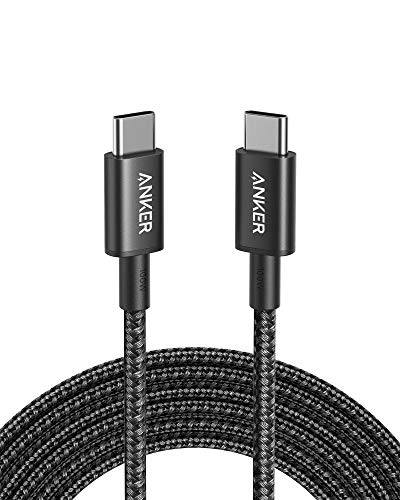
- 10-foot reach
- Up to 100W charging
- 5,000-bend nylon design
Best For: Workspaces needing extra cable length
Best High-Power Flexibility
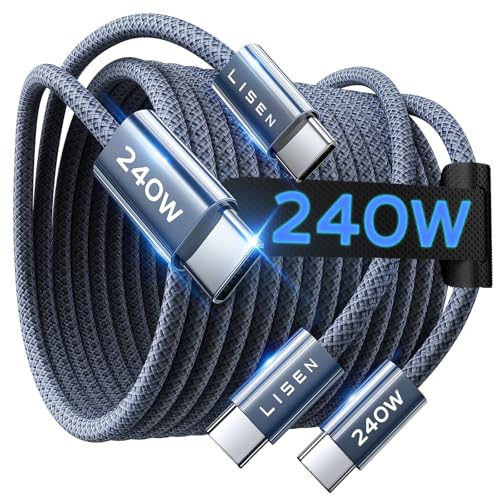
- PD3.1 EPR support
- E-Marker 3.0 monitoring
- 40,000-plus flex cycles
Best For: High-power laptops and mixed USB-C gear
Best Two-Pack Value

- Two six-foot cables
- Up to 60W charging
- 480Mbps data transfer
Best For: Everyday laptop charging and spare-cable coverage
Best Value
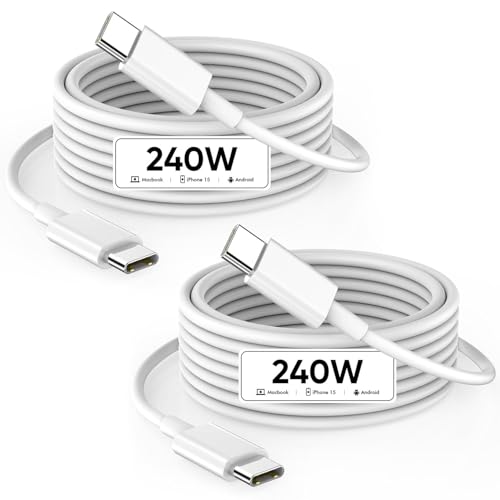
- 240W charging support with compatible chargers
- Two 6.6-foot cables included
- USB 2.0 data up to 480 Mbps
Best For: MacBook and USB-C laptop users needing a long cable and spare
Most Durable

- 240W charging capability
- Tested for over 300,000 bends
- Braided recycled-material exterior
Best For: Heavy-duty laptop charging with long-term durability
Best Budget Pick
- 60W charging for compatible devices
- 6.6-foot flexible cable
- USB-IF certified with 480 Mbps syncing
Best For: Everyday charging for USB-C laptops and mobile devices
Apple Long-Reach Pick

- 240W charging support
- 2-meter woven design
- USB 2 data transfer
Best For: Apple and USB-C laptop users needing extra cable length
Best Heavy-Duty Pick
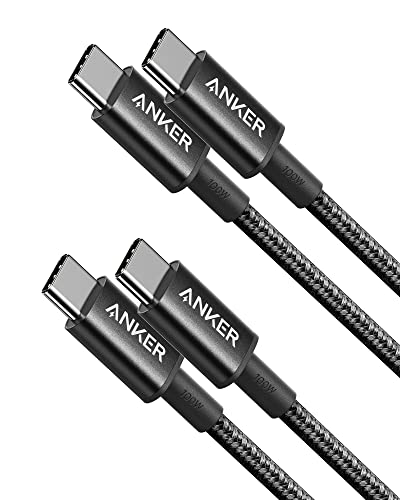
- Two 3.3-foot cables
- 100W charging support
- 5,000-bend nylon design
Best For: Everyday laptop charging in multiple locations
Most Durable High-Wattage Pick

- 240W USB-IF certified charging
- 6-foot braided cable
- 30,000-plus bend lifespan
Best For: High-power laptop charging and demanding daily use
Best Overall – INIU 240W USB-C Cable
For shoppers comparing USB C cables for laptops, the INIU 240W USB-C cable is a high-power option with two 6.6-foot cables included. It supports up to 240W charging with a compatible charger and includes EMARK2.0 monitoring for added charging protection.
Best For: Laptop users who want maximum charging capacity, extra length, and a spare cable.
Pros:
- Supports charging up to 240W with compatible equipment.
- Includes two 6.6-foot USB-C to USB-C cables.
- Works with laptops, tablets, phones, and gaming devices.
- Includes EMARK2.0 protection and a three-year iNiu Care promise.
Cons:
- A compatible 240W USB-C charger is required to reach maximum output.
- USB-C to USB-C only, so it requires a USB-C charger port.
This is a strong all-around pick when you want laptop charging headroom and broad device compatibility. Its 240W rating is more capacity than many laptops need, but it can be useful for power-hungry models and future devices.
Best Extra-Long Option – Anker 100W USB-C Cable
This 10-foot Anker cable is a practical choice among USB C cables for laptops when your outlet or charger sits far from your workspace. It supports up to 100W charging, uses a nylon exterior, and is rated for a 5,000-bend lifespan.
Best For: Desk, bedside, and travel setups that benefit from extended reach.
Pros:
- Long 10-foot length provides flexible placement.
- Supports fast charging up to 100W with a compatible charger.
- Nylon construction is rated for up to 5,000 bends.
- Includes a hook-and-loop cable tie and everlasting warranty.
Cons:
- Does not support video output.
- It is sold as a single cable.
- Requires a USB-C charger for USB-C laptop charging.
The combination of 100W support and a 10-foot length makes this a convenient laptop cable for locations where standard-length cords fall short. Choose it for charging and data transfer, not monitor connectivity.
Best High-Power Flexibility – LISEN 240W USB-C Cable
The LISEN 240W cable is designed for shoppers seeking USB C cables for laptops with broad power support. Its PD3.1 EPR system can adapt to a device’s power needs, while the 6.6-foot braided cable is built for everyday flexibility and durability.
Best For: Users charging high-powered laptops alongside tablets, phones, and other USB-C devices.
Pros:
- Supports up to 240W through PD3.1 EPR and compatible equipment.
- Automatically matches supported charging protocols and device requirements.
- Uses an E-Marker 3.0 chip with current and voltage monitoring.
- 48-strand nylon construction is rated for more than 40,000 flex cycles.
Cons:
- USB-C to USB-C only; it does not include a USB-A connector.
- Maximum charging speeds require a compatible USB-C power adapter.
- Data transfer is listed at 480Mbps.
This cable stands out for its combination of high wattage, protocol matching, and heavy-duty construction. It is a sensible upgrade for laptop owners who want one cable capable of serving several USB-C devices.
Best Two-Pack Value – Anker 60W USB-C Cables
For everyday USB C cables for laptops, this Anker two-pack offers a straightforward charging solution at up to 60W per cable. Both six-foot nylon cables support 480Mbps data transfer and are compatible with many laptops, tablets, and phones.
Best For: Everyday laptop charging, shared spaces, and buyers who want a spare cable.
Pros:
- Two six-foot cables are included.
- Supports up to 60W Power Delivery with a compatible charger.
- Provides 480Mbps data transfer.
- Reinforced nylon construction is rated for up to 5,000 bends.
Cons:
- 60W may not provide the maximum charging rate for some power-hungry laptops.
- Does not support media display.
- USB-C to USB-C only and does not work with USB-A chargers or Lightning ports.
This two-pack is a practical choice for routine charging and file transfers, especially if you want one cable at home and another in a bag. Consider a higher-wattage option for laptops that require more than 60W.
Best Value – 240W USB-C Cable Twin Pack
If you need USB C cables for laptops with extra reach and a spare included, this 6.6-foot USB-C to USB-C twin pack is a practical choice. It supports USB PD charging up to 240W and USB 2.0 data transfer up to 480 Mbps, provided your charger and device support those limits.
Best For: MacBook, iPad, and USB-C laptop users who want two long charging cables for home, office, or travel.
Pros:
- Supports charging up to 240W with compatible equipment.
- Includes two 6.6-foot cables for convenient reach and backup coverage.
- Reinforced construction is tested for over 20,000 bends.
Cons:
- Data transfer is limited to USB 2.0 speeds up to 480 Mbps.
- Requires a suitable USB-C charger to reach higher wattages.
This is a sensible option when flexibility and quantity matter more than advanced data performance. Its long length and broad device compatibility make it useful for everyday laptop charging setups.
Most Durable – Anker Prime 240W USB-C Cable
For shoppers prioritizing longevity among USB C cables for laptops, the Anker Prime combines 240W charging with a braided exterior made from post-consumer recycled materials. It is a USB 2.0 cable, so it is designed primarily for charging rather than high-speed file transfers or display connections.
Best For: Laptop owners who want a single premium charging cable with exceptional bend resistance and a six-foot reach.
Pros:
- Supports up to 240W charging with compatible devices and power adapters.
- Engineered to withstand over 300,000 bends.
- Includes a cord organizer and an everlasting warranty.
- USB-IF specification compliance is listed.
Cons:
- USB 2.0 data performance is limited to 480 Mbps.
- Does not support screen mirroring.
- Only one cable is included.
The Anker Prime stands out for buyers who expect heavy everyday use and want strong durability assurances. It is best treated as a robust charging cable, not a solution for monitor connectivity.
Best Budget Pick – IFEART 60W USB-C Cable
This IFEART cable is a straightforward option for USB C cables for laptops when 60W charging is sufficient. Its 6.6-foot length provides room to work or use a laptop away from the outlet, while USB-IF certification and built-in protection support everyday charging and syncing.
Best For: USB-C laptops, tablets, and phones that need an affordable long cable for charging and 480 Mbps data transfers.
Pros:
- Supports up to 60W charging at 20V/3A.
- 6.6-foot length is convenient for desks, sofas, and travel.
- Offers USB 2.0 data syncing up to 480 Mbps.
- Tested for over 20,000 bends and includes a Velcro wrap.
Cons:
- 60W maximum is lower than the 240W rating of the other listed cables.
- Only one cable is included.
- Not intended for high-speed USB data or display output.
If your laptop does not require more than 60W, this cable covers the basics without unnecessary features. Its long, flexible design is particularly useful for casual home and office charging.
Apple Long-Reach Pick – 240W Woven USB-C Cable
Apple 240W USB-C to USB-C Woven Charge Cable (2 m): Fast and Convenient Charging
Check Price On AmazonFor shoppers comparing USB C cables for laptops, Apple’s 2-meter woven cable is a practical choice when extra reach and high charging capacity matter. It has USB-C connectors on both ends, supports charging up to 240W, and handles data transfers at USB 2 rates.
Best For: MacBook and other USB-C laptop users who want a long, Apple-designed charging cable.
Pros:
- Supports charging up to 240W.
- 2-meter length provides useful reach from wall outlets.
- Woven design with USB-C connectors on both ends.
- Supports charging, syncing, and data transfer.
Cons:
- Power adapter is sold separately.
- Data transfers are limited to USB 2 rates.
This cable is especially appealing for laptop setups where distance from the outlet is inconvenient. Choose it for Apple’s design and 240W charging support, but look elsewhere if faster data transfer or video output is a priority.
Best Heavy-Duty Pick – Anker 100W USB-C Cables
If you need USB C cables for laptops in more than one location, this Anker two-pack offers practical flexibility. Each 3.3-foot USB-C to USB-C cable supports up to 100W charging and uses a nylon exterior rated for a 5,000-bend lifespan.
Best For: Laptop owners who want two durable charging and data cables for desks, bags, or shared spaces.
Pros:
- Two cables are included in the pack.
- Supports charging up to 100W with a compatible charger.
- Nylon construction is rated for 5,000 bends.
- Includes hook-and-loop cable ties and an everlasting warranty.
Cons:
- Does not support video output.
- At 3.3 feet, the length may be limiting for some setups.
This is a sensible everyday option when charging and basic data transfer are the main needs. The two-pack adds convenience, while the lack of video support makes it unsuitable for USB-C monitor connections.
Most Durable High-Wattage Pick – Anker Nano 240W Cable
For demanding laptop charging setups, the Anker Nano USB-C cable combines 240W support with a 6-foot length. It is USB-IF certified, has a recycled braided exterior, and is rated for more than 30,000 bends, making it a strong fit for frequent travel or daily use.
Best For: USB-C laptop users who prioritize maximum charging capacity, long reach, and heavy-duty construction.
Pros:
- Supports charging up to 240W.
- 6-foot length works well for desk and travel setups.
- Rated for 30,000-plus bends and up to 220 pounds of resistance.
- Includes a silicone cord organizer and 24-month warranty.
Cons:
- Does not support screen mirroring.
- It is a single cable rather than a multipack.
This cable makes the most sense when durability and high-wattage charging outweigh the need for display connectivity. Its long length and organizer also make it convenient for laptop bags and flexible workspaces.
How We Picked the Best USB C Cables for Laptops
We focused on cables that support USB-C laptop charging and offer clearly stated power ratings, useful lengths, and reputable construction. The selection includes 60W, 100W, and 240W models, giving shoppers options for lightweight notebooks, mainstream laptops, and higher-power systems. We also considered pack size, flexibility, connector durability, and whether a cable is better suited to a desk, bag, or shared household setup.
Power delivery is only one part of the evaluation. A cable must also work with the charger and laptop’s requirements, and users who need fast file transfers or display connectivity should verify the USB specification before buying.
Quick Comparison
- Best for maximum charging headroom: Choose a rated 240W cable, such as the Anker Prime, Anker Nano, INIU, LISEN, Apple, or comparable options.
- Best for everyday laptops: A 100W cable offers ample capacity for many MacBook Air, Windows, Chromebook, and ultraportable systems.
- Best value for multiple locations: A two-pack lets you keep one cable at a desk and another in a bag or travel kit.
- Best for long reach: Six-foot and 10-foot cables are more convenient beside a couch, hotel bed, or standing desk.
Key Buying Factors for USB-C Cables for Laptops
Power Rating
Match the cable’s rating to your laptop charger. A 60W cable may suit smaller devices, while 100W is a practical baseline for many laptops. A 240W cable provides extra headroom, but it does not make a laptop charge faster than the computer and charger allow.
Data and Video Support
Do not assume every USB-C charging cable supports the same transfer speed. If you connect an SSD, dock, monitor, or eGPU, check for the required USB data rate and video support. Some high-wattage cables prioritize charging rather than high-speed data.
Length and Portability
Long cables improve flexibility but can be heavier and less tidy. A six-foot cable works well at a desk, while a shorter option is easier to pack. Ten-foot models are useful when outlets are far from the charging position.
Build Quality
Look for reinforced connectors, a flexible outer jacket, and strain relief where the cable meets each plug. Braided coverings can improve abrasion resistance, although they may be stiffer than smooth cables.
Who Should Buy Which USB C Cables for Laptops?
Choose a 60W model if you mainly charge a compact laptop, tablet, or phone and want an economical spare. Pick a 100W cable for a balanced everyday option that covers many laptop chargers without unnecessary bulk. A 240W cable makes sense for demanding laptops, shared charging stations, or buyers who want maximum future flexibility.
For home offices, prioritize length and durability. For travel, choose a cable that packs easily and consider a two-pack so one can remain in your luggage. If you use a USB-C monitor, dock, or fast external storage, confirm the complete data and display specifications rather than shopping by wattage alone.