
The right USB extension cable can make a desktop setup cleaner, more comfortable, and easier to use. It can move a keyboard, mouse, webcam, printer, or USB hub within reach without replacing your existing device cable.
These 10 picks cover common desktop needs, from compact 3-foot extensions to 15-foot options, with USB 2.0 and USB 3.0 models for different speed and distance requirements.
Best 10 USB Extension Cables for Desktop Setups Picks for 2026
Best Long-Reach Performer
Cable Matters 10ft USB 3.0 Extension

- 10-foot reach for desks and rooms
- Up to 5 Gbps USB 3.0 transfers
- Shielded, reinforced connector design
Best For: Long-distance USB-A connections and VR peripherals
Best Two-Pack Value
AINOPE 6.6ft Braided USB 3.0 Extension
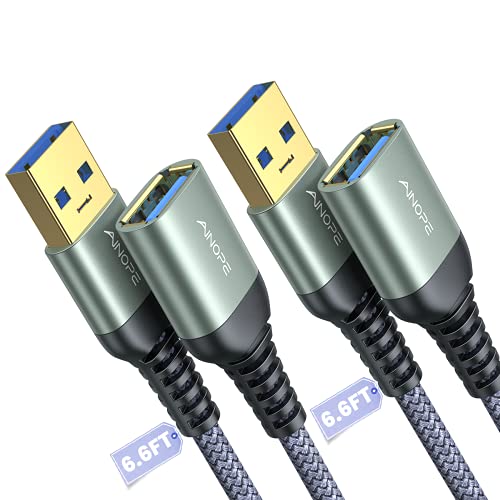
- Two 6.6-foot cables included
- Braided jacket with reinforced joints
- Sticky buckles aid cable management
Best For: Multi-device desks needing two extensions
Best Durable 10ft Option
ITD ITANDA Braided USB 3.0 Extension

- 10-foot reach for hard-to-access ports
- Braided nylon and reinforced construction
- Up to 5 Gbps with broad compatibility
Best For: Durable long-run connections for desks and gaming setups
Best Desktop Hub Design
Tripp Lite 6ft 2-Port USB 3.0 Extension

- Two USB-A ports at the desktop end
- One data/power port plus one power-only port
- 5 Gbps support and lifetime limited warranty
Best For: Accessible USB connections on fixed desktop workstations
Best Long-Reach Pick
JSAUX 10ft USB 3.0 Extension Cable 2-Pack

- Two 10-foot cables for broad workspace coverage
- USB 3.0 speeds up to 5Gbps
- Braided construction with 18-month warranty
Best For: Large desktop setups and multiple USB peripherals
Best Short Cable Multipack
Cable Matters 3ft USB 2.0 Extension 3-Pack

- Three compact 3-foot extension cables
- Useful for 2.4GHz wireless dongle placement
- Flexible, shielded, and easy to store
Best For: Compact desks and everyday USB 2.0 peripherals
Best Balanced Length
UGREEN 3ft USB 3.0 Extension Cable 2-Pack
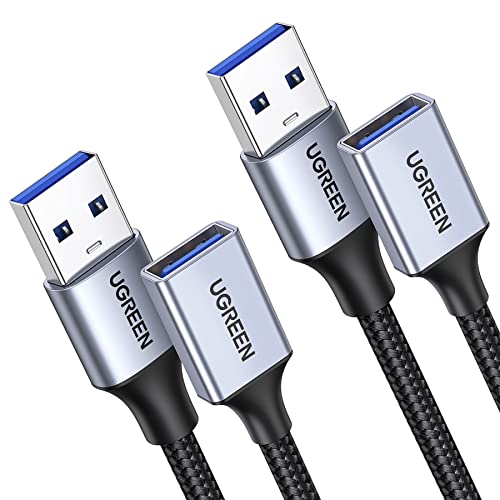
- Two manageable 3-foot USB 3.0 cables
- Up to 5Gbps data transfer and 2A charging
- Braided jacket with aluminum alloy connectors
Best For: Standard desktop workstations and nearby peripherals
Best with Extra Features
AINOPE 10FT USB 3.0 Extension Cable

- 10-foot reach for flexible desktop placement
- Up to 4.8Gbps data transfer and 2A charging
- Braided cable with reinforced joints and buckles
Best For: Long desktop runs and organized USB-A peripheral connections
Best Multi-Pack Value
3-Pack USB 2.0 Extension Cables
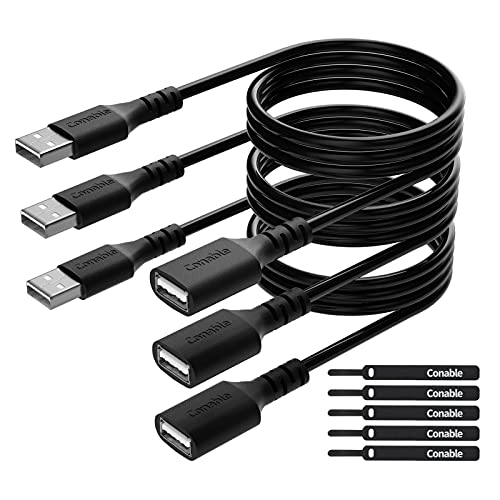
- Includes three 6-foot male-to-female cables
- Up to 480Mbps data transfer with plug-and-play use
- Five cable ties help keep desktop wiring organized
Best For: Multi-device workstations using standard USB 2.0 peripherals
Best Extra-Long High-Speed Pick
XBOHJOE 15FT USB 3.0 Extension Cable
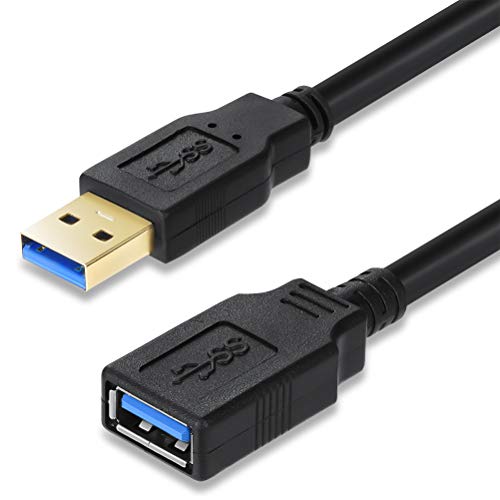
- 15-foot reach for ports located far from the workspace
- Up to 5Gbps USB 3.0 data transfer
- Dual-layer shielding helps reduce interference
Best For: Large desktop layouts and distant USB-A peripherals
Best Long-Reach Performer – Cable Matters 10ft USB 3.0 Extension
For desktop setups where a nearby USB port is out of reach, the Cable Matters 10-foot extension adds useful flexibility without giving up USB 3.0 performance. It supports transfer speeds up to 5 Gbps and works with both USB 3.0 and older USB devices.
Best For: Extending connections to external drives, hubs, printers, VR headsets, keyboards, and other USB-A peripherals across a larger desk or room.
Pros:
- 10-foot length helps reach behind desks or across work areas.
- Supports up to 5 Gbps USB 3.0 data transfers.
- Gold-plated connectors, copper conductors, and foil-and-braid shielding support reliable transmission.
- Molded strain relief and grip treads improve everyday handling.
Cons:
- Its round PVC construction may be less flexible than a braided cable.
- It provides one male-to-female extension connection rather than additional ports.
This is a strong choice among USB extension cables for desktop setups when maximum reach and broad USB-A compatibility matter. It is also suitable for extending charging cables, though charging performance depends on the connected devices and cable.
Best Two-Pack Value – AINOPE 6.6ft Braided USB 3.0 Extension
The AINOPE two-pack is a practical option for desktop setups that need more than one extended USB connection. Each 6.6-foot cable supports USB 3.0 speeds, includes a braided jacket, and comes with sticky buckles for tidier cable management.
Best For: Multi-device workstations using keyboards, mice, hubs, printers, card readers, storage drives, or other USB-A accessories.
Pros:
- Two cables provide convenient coverage for separate devices or work areas.
- Supports up to 5 Gbps data transfer and backward compatibility with USB 2.0 and 1.1.
- Nylon braiding, reinforced joints, and an all-metal connector shell are designed for durability.
- Included sticky buckles help shorten and organize excess cable.
Cons:
- At 6.6 feet, each cable has less reach than the 10-foot options in this roundup.
- The two-pack may be unnecessary if only one USB extension is needed.
For buyers comparing USB extension cables for desktop setups, this pack stands out for combining two cables with built-in organization accessories. It is a well-rounded fit for desks with several USB-A peripherals.
Best Durable 10ft Option – ITD ITANDA Braided USB 3.0 Extension
The ITD ITANDA 10-foot extension is designed for desktop users who want extra reach along with a more protective braided exterior. It delivers up to 5 Gbps transfers and is compatible with USB 3.0, USB 2.0, and earlier USB standards.
Best For: Reaching devices behind desks, televisions, or gaming setups while reducing repeated strain on the computer’s USB port.
Pros:
- 10-foot length reduces the need to bend behind a desk or reach around furniture.
- Nylon braided jacket, reinforced joint, and aluminum alloy case support durability.
- Supports up to 5 Gbps data transfer plus charging and syncing.
- Compatible with devices including keyboards, mice, consoles, printers, cameras, and storage drives.
Cons:
- It is sold as a single cable, not a multi-pack.
- The long length can leave extra cable to manage on smaller desks.
This cable is a compelling middle ground for USB extension cables for desktop setups: it offers the reach of a long extension and the protection of braided construction. Its broad device compatibility also makes it useful beyond a traditional computer desk.
Best Desktop Hub Design – Tripp Lite 6ft 2-Port USB 3.0 Extension
Tripp Lite 6ft 2-Port USB 3.0 Superspeed Desktop Extension Cable M/F 6' (U324-006-DSK2), Black
Check Price On AmazonThe Tripp Lite U324-006-DSK2 takes a different approach to USB extension cables for desktop setups by placing two USB-A ports at the extended end. Its 6-foot cable supports USB 3.0 speeds, with one port for data and power and a second port intended for power only.
Best For: Desktop users who want easier access to USB-A connections while keeping the computer or monitor port farther away.
Pros:
- Two-port desktop design makes connecting nearby accessories more convenient.
- Supports data transfer rates up to 5 Gbps.
- Backward compatible with previous USB generations.
- Includes a lifetime limited warranty.
Cons:
- The second port is power-only, so it does not provide two full data connections.
- Its 6-foot length offers less reach than the 10-foot alternatives.
- The desktop extension design is less suitable when only a simple single-port extension is needed.
Choose this Tripp Lite model when convenient port access matters more than maximum cable length. The clearly differentiated data/power and power-only ports make it especially useful for a fixed desktop workspace.
Best Long-Reach Pick – JSAUX 10ft USB 3.0 Extension Cable 2-Pack
For desktop setups where ports sit behind a tower or across a larger workspace, the JSAUX 2-pack is a practical choice among USB extension cables for desktop setups. Two 10-foot USB-A male-to-female cables provide substantial reach, while USB 3.0 support handles data transfers up to 5Gbps.
Best For: Extending webcams, hubs, printers, storage drives, keyboards, mice, and other USB peripherals across a large desk or room.
Pros:
- Includes two 10-foot cables for flexible placement.
- Supports USB 3.0 transfer speeds up to 5Gbps and remains backward compatible with USB 2.0 and 1.1 devices.
- Nylon braiding, gold-plated connectors, shielding, and molded joints are designed for durability and reduced interference.
- Comes with an 18-month warranty.
Cons:
- The 10-foot length may be excessive for compact desks.
- It uses USB-A connectors, so it is not a direct USB-C extension.
The JSAUX set is especially useful when you need reach and a spare cable at the same time. Its high-speed specification and broad peripheral compatibility make it a strong fit for busy desktop workstations.
Best Short Cable Multipack – Cable Matters 3ft USB 2.0 Extension 3-Pack
The Cable Matters 3-pack suits users who want compact, tidy USB extension cables for desktop setups. Each 3-foot USB-A extension is easy to route, and USB 2.0 operation provides up to 480Mbps for everyday peripherals such as keyboards, mice, printers, and flash drives.
Best For: Short-distance desktop connections, wireless dongles, office peripherals, and keeping spare extension cables available.
Pros:
- Three 3-foot cables offer convenient reach without much cable clutter.
- USB 2.0 support can help reduce interference for some 2.4GHz wireless mouse and keyboard dongles when compared with USB 3.0 ports.
- Nickel-plated connectors, copper conductors, and foil-and-braid shielding support stable transmission.
- Flexible design coils easily for storage or portability.
Cons:
- USB 2.0’s 480Mbps maximum is slower than USB 3.0 alternatives.
- Three feet may not reach across larger desks or around furniture.
This set is a sensible value-oriented option for everyday USB accessories and wireless receiver placement. Choose it when short cable runs and multiple spares matter more than maximum transfer speed.
Best Balanced Length – UGREEN 3ft USB 3.0 Extension Cable 2-Pack
UGREEN offers a balanced option for USB extension cables for desktop setups that need a little extra reach without a long, difficult-to-manage cord. The two 3-foot USB 3.0 cables support data transfer up to 5Gbps and charging up to 2A for compatible devices.
Best For: Everyday desktop accessories, webcams, phones, hubs, headsets, microphones, controllers, and other nearby USB devices.
Pros:
- USB 3.0 supports data speeds up to 5Gbps.
- Supports charging up to 2A for compatible devices.
- Nylon braiding, aluminum alloy connectors, and multi-layer shielding add durability and help minimize interference.
- Two cables provide a useful spare or allow simultaneous extensions.
Cons:
- The 3-foot length may be limiting for distant ports or floor-level PCs.
- Charging performance depends on the connected device and setup.
With high-speed USB 3.0 support and a moderate length, the UGREEN pair is well suited to standard workstations. It is a good middle ground for users who want cleaner cable routing without sacrificing faster peripheral data transfers.
Best with Extra Features – AINOPE 10FT USB 3.0 Extension Cable
For desktop setups that need extra reach, this 10-foot USB 3.0 extension cable is a practical choice. It supports USB 3.0 and USB 3.2 connections, while its braided exterior, reinforced joints, and included sticky buckles help with everyday organization.
Best For: Extending keyboards, mice, printers, hard drives, cameras, and other USB-A peripherals across a desktop or entertainment setup.
Pros:
- 10-foot length provides substantial reach for desktop and camera placement.
- Supports data transfer up to 4.8Gbps and up to 2A charging.
- Nylon-braided construction, reinforced joints, and included cable-management buckles.
Cons:
- Uses USB Type-A male-to-female connectors, so it is not a direct USB-C extension.
- Designed for indoor use.
Choose this AINOPE cable when you want long reach without sacrificing basic cable organization. Its USB 3.0 compatibility and reinforced design make it well suited to a permanent desktop setup.
Best Multi-Pack Value – 3-Pack USB 2.0 Extension Cables
If you need several usb extension cables for desktop setups, this three-pack offers a simple way to extend multiple USB-A peripherals. The 6-foot male-to-female cables support plug-and-play data and charging, with cable ties included for tidier routing.
Best For: Users connecting several keyboards, mice, printers, controllers, drives, or other USB 2.0 peripherals around a desktop or home office.
Pros:
- Three 6-foot cables provide useful coverage for multiple devices.
- Supports data transfer up to 480Mbps and backward compatibility with USB 1.1.
- Includes five cable ties, reinforced joints, shielding, and a PVC jacket.
Cons:
- USB 2.0 speeds are slower than USB 3.0 extension cables.
- The supplied cable length is 6 feet, although other lengths may be available separately.
This pack makes sense for a multi-device workstation where dependable basic extension is more important than high-speed file transfers. It is also a convenient option for protecting device ports from repeated plugging and unplugging.
Best Extra-Long High-Speed Pick – XBOHJOE 15FT USB 3.0 Extension Cable
For a desktop setup where the USB port is far from the workspace, this 15-foot USB 3.0 extension cable delivers extra reach. It supports up to 5Gbps when connected to compatible USB 3.0 hardware and uses dual-layer shielding to help reduce interference.
Best For: Extending USB-A connections to distant keyboards, mice, printers, storage devices, card readers, and other peripherals.
Pros:
- 15-foot length helps connect peripherals without reaching behind a desktop or TV.
- Supports USB 3.0 transfer speeds up to 5Gbps and works with older USB standards.
- Aluminum foil and metal braided shielding help isolate electromagnetic interference.
Cons:
- Performance depends on the host and connected device; older USB hardware will be slower.
- Only one cable is included.
- Uses USB Type-A male-to-female connectors.
This is the strongest fit when reach is the priority and your computer or peripheral supports USB 3.0. Its long length can simplify installation, though it may be more cable than a compact desk requires.
How We Picked the Best USB Extension Cables for Desktop Setups
We focused on practical fit for home offices, gaming desks, workstations, and everyday peripherals. The selection considers USB standard, advertised data-transfer speed, cable length, connector compatibility, construction, pack size, and useful desktop features such as built-in ports. Because USB extension performance can vary by device and total cable length, these picks are best evaluated against the requirements of the specific peripheral you plan to connect.
Quick Comparison
Short 3-foot cables are useful for tidying nearby connections, while 6- to 10-foot models provide more flexibility around a desk. A 15-foot cable offers the greatest reach but is more dependent on the connected device, source port, and signal conditions. USB 3.0 models are generally the better choice for external storage, cameras, and other higher-bandwidth devices. USB 2.0 cables remain suitable for many keyboards, mice, printers, and basic accessories.
Key Buying Factors for USB Extension Cables for Desktop Setups
USB Version and Speed
Check whether you need USB 2.0 or USB 3.0. USB 3.0 extension cables are commonly advertised at up to 5Gbps and are preferable for fast data devices. A USB 2.0 cable may be sufficient for input devices and low-speed peripherals, but it can limit faster hardware.
Length and Signal Reliability
Choose the shortest cable that comfortably reaches your preferred position. Longer cables improve placement freedom but can create more cable clutter and may be less suitable for demanding devices. For long runs, avoid unnecessary extra adapters and keep the cable away from sources of interference where possible.
Connectors and Compatibility
Most products here use a USB Type-A male connector on one end and a USB Type-A female connector on the other. Confirm that your computer or hub has the correct port and that the extension will fit the device cable. These cables do not automatically convert USB-A to USB-C, Micro-USB, or another connector.
Build Quality and Desk Organization
Braided jackets can help resist everyday bending and tangling, while a flexible PVC cable may be easier to route through tight spaces. Consider strain relief, connector fit, and whether a multi-pack gives you useful spare cables. A desktop hub-style option can be convenient when several accessories need to stay within reach.
Who Should Buy Which USB Extension Cables for Desktop Setups?
Choose a 3-foot cable for a compact desk or a nearby keyboard, mouse, or printer. Pick a 6- to 10-foot USB 3.0 model when you need to reposition a webcam, camera, hub, or other higher-speed peripheral. A multi-pack is practical for several workstations or accessories, while a braided option suits users who frequently move or reconnect equipment. For maximum reach, the 15-foot model is worth considering when placement matters more than minimizing cable length. If your setup only involves basic input devices, a USB 2.0 multipack can provide useful coverage at a lower-complexity level.