
When it comes to boosting your office productivity and visual experience, choosing the right 4K monitor can make all the difference. With so many options available, you might find it challenging to pinpoint the best fit for your needs. The right monitor not only enhances clarity but also reduces eye strain during those long work hours. Let’s explore ten top contenders that could transform your workspace into a more efficient environment.
Dell 27 Plus 4K Monitor (S2725QS)

The Dell 27 Plus 4K Monitor (S2725QS) is an ideal choice for professionals who demand exceptional visual clarity and performance in their workspace. With a stunning 27-inch 4K resolution and a 120Hz refresh rate, you’ll enjoy vivid visuals and smooth motion. The IPS panel provides 99% sRGB color accuracy, ensuring your projects look fantastic. Plus, features like AMD FreeSync Premium and ultra-low response time enhance your gaming and video experience. The integrated speakers deliver impressive audio, while the ComfortView Plus reduces eye strain. Its sleek design and modern finish make it a stylish addition to any office setup.
Best For: Professionals and gamers seeking exceptional visual clarity and performance in their workspace.
Pros:
- High Resolution: Stunning 27-inch 4K display with vibrant colors and clarity.
- Smooth Performance: 120Hz refresh rate and ultra-low response time for seamless motion.
- Eye Comfort: ComfortView Plus feature reduces harmful blue light emissions, enhancing eye comfort during long use.
Cons:
- Weight: At 14.26 pounds, it may be challenging to mount or move for some users.
- Integrated Speakers: While improved, the audio quality may still not satisfy audiophiles.
- Price Point: Higher-end pricing may not suit budget-conscious consumers.
LG 27UP850K-W 27-inch Ultrafine 4K UHD Computer Monitor

For professionals seeking vibrant visuals and exceptional detail, the LG 27UP850K-W 27-inch Ultrafine 4K UHD Computer Monitor stands out as an ideal choice. With a stunning 3840 x 2160 resolution and up to 95% DCI-P3 color gamut, it delivers breathtaking colors. Its VESA DisplayHDR 400 compatibility enhances brightness and color accuracy, while Black Stabilizer brightens dark scenes for better visibility. Enjoy seamless connectivity with USB Type-C, DisplayPort, and HDMI options. Built-in stereo speakers with Waves MaxxAudio elevate your audio experience, and the adjustable stand guarantees ergonomic comfort for multitasking, making it perfect for your office setup.
Best For: Professionals and gamers who require vibrant visuals and exceptional detail for enhanced productivity and immersive gameplay.
Pros:
- Stunning 4K UHD resolution (3840 x 2160) for exceptional clarity and detail.
- Versatile connectivity with USB Type-C, DisplayPort, and HDMI options, eliminating the need for adapters.
- Ergonomic adjustable stand and multitasking features for improved comfort and efficiency.
Cons:
- Limited built-in speaker performance compared to dedicated audio solutions.
- May be overkill for casual users who do not require 4K resolution.
- Higher price point compared to standard monitors without advanced features.
Dell 32 Plus 4K Monitor (S3225QS)

With its stunning 31.5-inch display and 4K resolution, the Dell 32 Plus 4K Monitor (S3225QS) is perfect for professionals who demand exceptional visual performance. The VA panel offers vibrant colors with 99% sRGB and 95% DCI-P3 accuracy, ensuring your visuals pop. Plus, with HDR readiness and a 1500:1 contrast ratio, your content comes to life. The ultra-low 0.03ms response time and up to 120Hz refresh rate guarantee a smooth experience, especially during fast-paced tasks. Its sleek design with ultra-thin bezels enhances your workspace, while ComfortView Plus protects your eyes without compromising color quality.
Best For: Professionals and content creators seeking exceptional visual performance and color accuracy in a large 4K display.
Pros:
- Stunning 4K resolution (3840 x 2160) for vivid and detailed visuals.
- High color accuracy with 99% sRGB and 95% DCI-P3, ideal for graphic design and video editing.
- Ultra-low response time of 0.03ms and up to 120Hz refresh rate for smooth, tear-free gameplay and fast-paced tasks.
Cons:
- Weight of 19.33 pounds may require sturdy mounting solutions or workspace support.
- Limited adjustability in terms of height and tilt compared to some competitors.
- Price point may be higher than basic monitors, making it less accessible for casual users.
LG 27US500-W Ultrafine Monitor (27-Inch 4K UHD)

Boasting a stunning 4K UHD resolution, the LG 27US500-W Ultrafine Monitor is ideal for creative professionals seeking vibrant color accuracy and detailed imagery. With its 27-inch HDR10 IPS display, you’ll enjoy a contrast ratio of 1000:1, delivering deeper blacks and vivid colors. The monitor covers up to 90% of the DCI-P3 color gamut, ensuring enhanced color expression from wide viewing angles. Plus, it features a borderless design and ergonomic stand for comfortable use. Connectivity options include HDMI and DisplayPort, while onscreen controls let you customize your workspace effortlessly. Rated 4.4 out of 5 stars, it’s a reliable choice for any office.
Best For: Creative professionals seeking vibrant color accuracy and detailed imagery in their work.
Pros:
- High 4K UHD resolution provides stunning clarity and detail.
- Wide color gamut coverage (up to 90% DCI-P3) ensures enhanced color expression.
- Ergonomic stand and borderless design enhance user comfort and aesthetics.
Cons:
- Refresh rate of 60Hz may not satisfy gamers looking for higher performance.
- Limited connectivity options with only HDMI and DisplayPort available.
- Some users may find the weight (12.13 pounds) less portable.
ViewSonic 32 Inch 4K UHD Monitor (VX3276-4K-MHD)
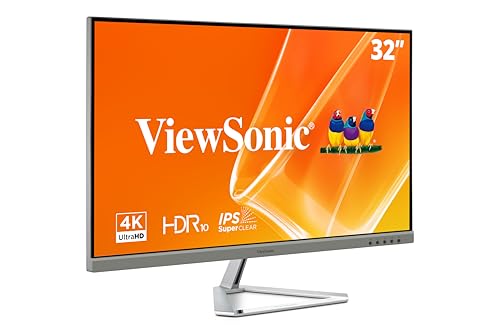
The ViewSonic 32 Inch 4K UHD Monitor (VX3276-4K-MHD) stands out as an ideal choice for professionals seeking a blend of stunning visuals and user-friendly features. With a 3840x2160p resolution and a 60Hz refresh rate, you’ll enjoy crisp images and smooth motion. The HDR10 support enhances contrast and color vibrancy, while Flicker-Free technology and a Blue Light Filter help reduce eye fatigue during long hours. You can easily switch between optimized viewing presets like “Game” or “Text.” Plus, with multiple connectivity options including HDMI and DisplayPort, it’s compatible with laptops, PCs, and Macs, making it perfect for any workspace.
Best For: Professionals and casual users seeking a versatile monitor with high-resolution visuals for both work and entertainment.
Pros:
- Stunning 4K resolution (3840x2160p) provides crisp and detailed images.
- Multiple viewing presets cater to different tasks, enhancing user experience.
- Eye comfort features like Flicker-Free technology and Blue Light Filter reduce fatigue during long usage.
Cons:
- 60Hz refresh rate may not satisfy gamers seeking ultra-smooth performance.
- Limited built-in speakers may require external audio solutions for a better sound experience.
- Ultra-thin bezels might not appeal to those looking for a more robust design.
LG 27UP650K-W 27-inch Ultrafine 4K UHD Monitor

For professionals seeking a high-quality display that enhances productivity and visual experience, the LG 27UP650K-W 27-inch Ultrafine 4K UHD Monitor stands out. Its stunning 4K IPS display delivers vibrant colors with up to 95% DCI-P3 color gamut, making your content pop. Plus, with VESA DisplayHDR 400, you’ll enjoy enhanced brightness for HDR content. The ergonomic stand allows you to adjust height, tilt, and pivot for ultimate comfort during long hours. Multitask effortlessly with screen splitting into six sections and enjoy versatile connectivity options with HDMI and DisplayPort. This monitor truly elevates your workspace to new heights.
Best For: Professionals and creatives seeking an ultra-high-definition monitor for enhanced productivity and vibrant visual experiences.
Pros:
- Stunning 4K resolution with vibrant colors and up to 95% DCI-P3 color gamut for exceptional image quality.
- Ergonomic stand allows for height, tilt, and pivot adjustments, ensuring user comfort during extended use.
- Versatile connectivity options with HDMI and DisplayPort, accommodating various devices seamlessly.
Cons:
- Limited HDR performance with only VESA DisplayHDR 400, which may not satisfy all HDR content enthusiasts.
- Higher price point compared to standard monitors, potentially making it less accessible for budget-conscious buyers.
- Screen splitting feature may require some learning curve for effective use in multitasking scenarios.
Samsung 32″ UJ59 Series 4K UHD Computer Monitor

If you’re looking to elevate your office setup, the Samsung 32″ UJ59 Series 4K UHD Computer Monitor is an exceptional choice. With a stunning 4K resolution, you’ll enjoy four times the pixels of Full HD, minimizing scrolling and enhancing clarity. Its billion color shades deliver vivid images, perfect for creative tasks. For gamers, the widescreen display and AMD FreeSync guarantee smooth gameplay with minimal lag. You’ll appreciate the multitasking features like Picture-by-Picture, allowing you to connect two devices seamlessly. Plus, the slim bezels and elegant design add a modern touch to your workspace while the Eye Saver mode keeps eye strain at bay.
Best For: Professionals and gamers seeking a high-resolution monitor that enhances productivity and provides an immersive gaming experience.
Pros:
- Supports 4K resolution for enhanced clarity and detail.
- Features AMD FreeSync technology for smoother gaming performance with reduced lag.
- Includes multitasking capabilities like Picture-by-Picture and Picture-in-Picture for greater efficiency.
Cons:
- Limited adjustability options for height and tilt may not suit all ergonomic preferences.
- The screen size may be too large for smaller desk setups.
- Price point may be higher compared to non-4K monitors with similar features.
Dell 27 Plus 4K USB-C Monitor (S2725QC)

Boasting a stunning 4K resolution, the Dell 27 Plus 4K USB-C Monitor (S2725QC) is perfect for professionals who demand crisp visuals and vibrant colors in their daily tasks. With a 120Hz refresh rate and ultra-low 0.03ms response time, you’ll enjoy smooth, tear-free visuals. The 99% sRGB color accuracy and HDR readiness guarantee exceptional depth and detail. Plus, the integrated speakers enhance your audio experience. Connecting is a breeze with a single USB-C cable that provides up to 65W power delivery, keeping your workspace organized. Weighing just 14.79 pounds, it’s both functional and stylish in its ash white design.
Best For: Professionals and creatives who require high-resolution displays for detailed visuals and accurate color representation.
Pros:
- Stunning 4K resolution with 99% sRGB color accuracy for vibrant and true-to-life colors.
- Ultra-low 0.03ms response time and 120Hz refresh rate ensure smooth and tear-free visuals.
- Convenient single USB-C connectivity with up to 65W power delivery, reducing cable clutter.
Cons:
- Integrated speakers may not provide the best audio quality compared to dedicated external speakers.
- Limited adjustability options for height and tilt may affect ergonomic setup.
- Some users may find the price higher compared to similar monitors without USB-C features.
Samsung 32-Inch Flat Computer Monitor (LS32B304NWNXGO)

The Samsung 32-Inch Flat Computer Monitor (LS32B304NWNXGO) stands out with its three-sided borderless design, making it an ideal choice for professionals who value a sleek, modern aesthetic in their workspace. Its 75Hz refresh rate guarantees smooth visuals, perfect for both productivity and gaming. With AMD FreeSync, you’ll experience reduced image tearing, while Game Mode optimizes settings for vibrant colors and enhanced gameplay. Plus, advanced eye care technology minimizes strain, flicker, and blue light emission, keeping your eyes comfortable during long hours. Connectivity is a breeze with HDMI and DisplayPort options, guaranteeing versatile compatibility with your devices.
Best For: Professionals and gamers seeking a sleek monitor with advanced eye care features and smooth visuals.
Pros:
- Three-sided borderless design for a modern look and seamless multi-monitor setups.
- 75Hz refresh rate provides smooth visuals, enhancing both productivity and gaming experiences.
- Advanced eye care technology reduces eye strain, flicker, and blue light emission for comfortable long-term use.
Cons:
- Limited to a 32-inch size, which may not suit all users’ preferences for screen real estate.
- Only two connectivity options (HDMI and DisplayPort) may not accommodate all devices without adapters.
- May lack some advanced gaming features found in higher-end models.
ZZA 32 Inch 4K Computer Monitor
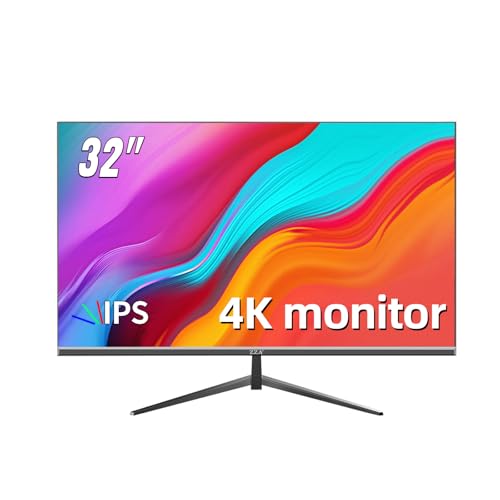
For professionals seeking a blend of productivity and visual excellence, the ZZA 32 Inch 4K Computer Monitor stands out with its stunning UHD resolution of 3840 x 2160 pixels. This monitor boasts a 60Hz refresh rate, perfect for both business tasks and casual gaming. Its IPS panel guarantees crystal-clear images from up to 178° viewing angles, while the 100% sRGB color gamut brings your visuals to life. With ultra-thin bezels and wall mount support, it fits seamlessly into any workspace. Plus, its HDMI 2.0 and DP 1.4 ports offer compatibility with next-gen devices, enhancing your overall experience.
Best For: Professionals and casual gamers seeking a high-resolution monitor that enhances productivity and visual quality.
Pros:
- Stunning 4K UHD resolution providing crystal clarity and detailed images.
- IPS panel technology with 178° viewing angles and 100% sRGB color gamut for vibrant colors.
- Ultra-thin bezels and wall mount support offer a sleek design and flexible setup options.
Cons:
- Brightness of 260cd/m² may not be sufficient for very bright environments.
- Limited refresh rate of 60Hz may not satisfy hardcore gamers looking for higher frame rates.
- Higher price point compared to standard 1080P monitors.
Factors to Consider When Choosing a 4k Computer Monitor for Office
When choosing a 4K computer monitor for your office, you’ll want to take into account several key factors. Screen size, resolution, and color accuracy can greatly impact your workspace experience. Additionally, don’t overlook the refresh rate and available connectivity options to make sure your setup meets your needs.
Screen Size Importance
Choosing the right screen size for your 4K computer monitor can greatly impact your productivity and comfort in the office. A larger screen, like 27 inches or more, creates an immersive experience, making multitasking easier by allowing you to view multiple applications side by side. For office tasks, monitors sized 27 to 32 inches reduce the need for scrolling and enhance visibility of detailed documents or spreadsheets. The ideal size also depends on your viewing distance; if you sit further back, a larger screen helps with readability and reduces eye strain. Ergonomics matter too—larger screens can be adjusted for a comfortable height and angle, minimizing neck and eye fatigue during long hours at work.
Resolution and Clarity
Resolution and clarity are essential elements in selecting a 4K computer monitor for your office. With a stunning resolution of 3840 x 2160 pixels, these monitors offer four times the pixel density of Full HD displays, resulting in sharp images and crisp text. This clarity is particularly beneficial for tasks requiring precision, like graphic design and video editing. You’ll also enjoy a more immersive viewing experience, as the enhanced detail brings multimedia content to life. The common 16:9 aspect ratio maximizes your field of view, allowing you to see more content simultaneously without losing clarity. Investing in a 4K monitor means you’ll enhance your productivity while enjoying the visual benefits of high resolution.
Color Accuracy Considerations
Although you may be tempted to focus solely on resolution, color accuracy is equally essential when selecting a 4K computer monitor for your office. If you’re in graphic design, photography, or video editing, precise color representation is vital for your work’s quality. Aim for monitors with a color gamut of 99% sRGB or higher to display a broader range of vibrant colors. Consider models compatible with color standards like DCI-P3 or Adobe RGB for even more versatility. Calibration features are a plus, as they enhance accuracy; some monitors even have built-in tools or support for external devices. Finally, choose monitors with high contrast ratios and HDR readiness to improve color depth and detail in your images.
Refresh Rate Relevance
When you’re considering a 4K computer monitor for your office, the refresh rate plays an essential role in your overall experience. A higher refresh rate, like 120Hz, offers smoother motion and reduces motion blur, which is especially useful for video editing or gaming. While a standard 60Hz refresh rate may work for basic tasks, it can lead to choppy visuals during fast-paced activities. If you juggle multiple tasks, opting for a monitor with a higher refresh rate can boost your productivity by providing a more fluid experience. Additionally, monitors with refresh rates of 120Hz or more often include technologies like AMD FreeSync, which help eliminate screen tearing and reduce eye strain during prolonged use.
Connectivity Options Available
Choosing the right connectivity options for your 4K computer monitor can greatly enhance your office setup. Look for monitors that offer multiple ports like HDMI, DisplayPort, and USB-C. This variety accommodates various devices and cuts down on the need for adapters. USB-C is especially useful, providing data transfer and power delivery through a single cable, keeping your workspace neat. Verify your monitor supports the latest HDMI standards, like HDMI 2.1, for higher refresh rates and resolutions, essential for gaming or high-definition media. Built-in USB hubs can also simplify access to peripherals, eliminating awkward reaches. Finally, consider monitors with Picture-by-Picture or Picture-in-Picture capabilities to boost multitasking by displaying content from different sources simultaneously.
Ergonomic Features Necessity
Ergonomic features in a 4K computer monitor are essential for maintaining comfort and productivity during long hours of work. Look for monitors that offer adjustable height, tilt, and pivot options to promote proper posture and reduce strain. A borderless design not only enhances your workspace aesthetic but also allows for seamless multi-monitor setups, improving ergonomics further. Additionally, monitors with customizable onscreen controls can help you multitask effectively while personalizing your workspace layout. Features like dynamic action sync and black stabilizer enhance visual clarity during fast-paced tasks, contributing to a more comfortable working environment. By prioritizing these ergonomic attributes, you’ll create a more efficient and enjoyable workspace that supports your productivity.
Eye Comfort Technologies
To guarantee a comfortable working environment, it is crucial to take into account eye comfort technologies in your 4K computer monitor. Look for features like ComfortView Plus, which reduces harmful blue light emissions to less than 35%, easing eye strain during long hours. Flicker-Free technology is another must, as it eliminates screen flicker that contributes to fatigue. Adjustable brightness settings or modes like Eye Saver Mode can further minimize blue light exposure. Choose monitors with IPS panels for enhanced viewing angles, ensuring color accuracy and reducing glare. Integrated features like Reader Mode and Black Stabilizer improve visibility in various lighting conditions, making reading easier and reducing overall eye strain. Prioritize these technologies for a healthier workspace.