
Interactive whiteboards can turn a classroom lesson or team meeting into a more dynamic, collaborative experience. The best models combine sharp 4K visuals, responsive touch controls, and easy wireless sharing.
In this roundup, we focus on practical options for different room sizes, budgets, and software needs so you can choose a board that fits how you teach, present, and collaborate.
Best 10 Interactive Whiteboards for Classrooms and Offices Picks for 2026
Classroom Collaboration Pick

- 65-inch 4K UHD screen with 20-point touch
- Wireless sharing, QR file transfer, and annotation tools
- Android 13 with 128GB storage and open app ecosystem
Best For: Large classrooms and offices needing a fixed interactive collaboration display
Secure Hybrid Work Choice
Dornium 55" Google EDLA Smart Board
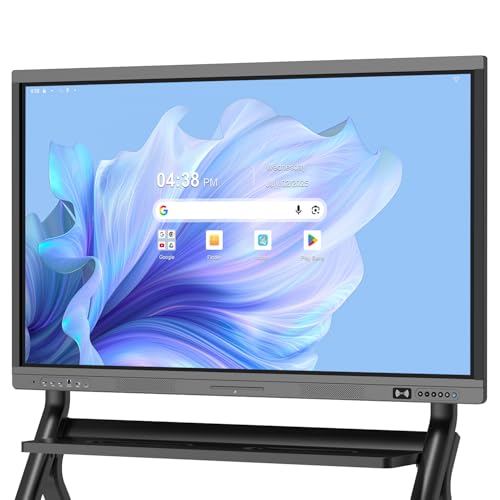
- Google EDLA certification with Play Store and Drive access
- Android 14 plus 8GB RAM and 128GB storage
- Anti-glare 4K touchscreen with broad port selection
Best For: Managed classrooms and offices that rely on Google tools and secure sharing
Open Ecosystem Value Pick
EUNIVON 55" 4K Smart Whiteboard

- 55-inch 4K UHD touchscreen with wall mount included
- Screencasts from Mac, Windows, iOS, and Android
- Android 14, 8GB RAM, 128GB storage, and open apps
Best For: Teams that want a practical, wall-mounted whiteboard for teaching and meetings
Feature-Rich Meeting Hub

- True 4K display with 400+ nits brightness
- 20-point infrared touch and 6ms response
- Built-in conferencing hub with front-access ports
Best For: Classrooms and offices that need a versatile all-in-one collaboration display
Wall-Mounted Collaboration Pick
55-inch 4K anti-glare smart whiteboard
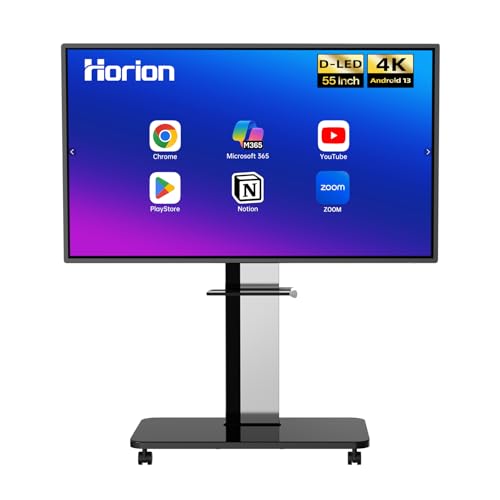
- 40-point touch with low-latency writing
- Wireless casting with touchback control
- Dual 20W speakers and Android 13 with Google Play
Best For: Classrooms and offices that need responsive touch and easy screen sharing
Secure App-Friendly Pick
55-inch EDLA smart board with camera

- EDLA-certified Android 14 with open app ecosystem
- 8GB RAM and 128GB storage for multitasking
- Built-in camera for remote conferencing
Best For: Classrooms and offices that want Google-certified software and hybrid meeting tools
Large-Room Flagship
75-inch Google EDLA smart board

- 75-inch 4K display with wide viewing angle
- 50-point touch for up to 10 writers
- Wireless casting for up to 16 devices
Best For: Large classrooms and meeting rooms that need a big collaborative display
Classroom-Ready 75-Inch Collaboration Board
75-inch Android 14 Smart Board

- 75-inch 4K UHD touchscreen with over 400 nits brightness
- Android 14 with 8GB RAM and 128GB storage
- 20-point IR touch plus front USB, HDMI, and touch input
Best For: large classrooms and offices needing a versatile all-in-one board
Enterprise Collaboration and Teaching Hub
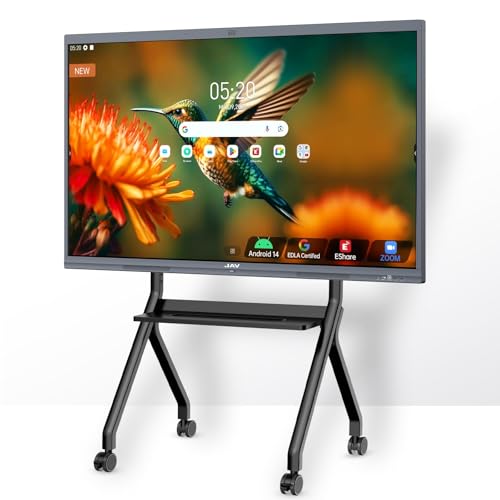
- 86-inch 4K UHD display with anti-glare coating
- Google EDLA certification with Drive and Workspace support
- 48MP AI camera, 8-array mic, and 100W soundbar
Best For: large rooms, hybrid teaching, and Google-focused collaboration
Compact Google-Centric Team Board
- 55-inch 4K UHD touchscreen with Android 14
- Google EDLA, Drive, TV, and Workspace support
- 20-point touch with OCR, PDF annotation, and sharing
Best For: smaller classrooms and offices that want Google integration
Classroom Collaboration Pick – COOLHOOD 65" Smart Board
If you’re comparing interactive whiteboards for classrooms and offices, this 65-inch COOLHOOD model is built for teams that want a large 4K display with responsive touch, annotation tools, and simple wireless sharing. It pairs Android 13 with a 20-point touchscreen and 128GB of storage, so it can handle everyday teaching, presenting, and collaboration tasks without feeling stripped down.
Best For: Classrooms, offices, and hybrid teams that want a large wall-mounted board with built-in collaboration tools.
Pros:
- 65-inch 4K UHD display with matte finish for clear viewing
- 20-point multi-touch plus 6ms response time and ±1mm precision
- Wireless screen sharing, QR file sharing, and built-in voting/timer tools
- Works with Zoom, Google Meet, Microsoft Teams, and Webex
Cons:
- Wall mount is included, but the stand is sold separately
- Only 1 HDMI port is listed, so wired expansion may be limited
- Designed as a fixed-installation display rather than a portable unit
Overall, this COOLHOOD board is a strong fit if your priority is a large-format interactive whiteboard with practical collaboration features and broad app support. It is especially appealing for spaces where annotation, file sharing, and video meetings all need to happen on the same screen.
Secure Hybrid Work Choice – Dornium 55" Google EDLA Smart Board
Among interactive whiteboards for classrooms and offices, this 55-inch Dornium board stands out for Google EDLA certification, Android 14, and broad connectivity. It is designed for shared workspaces that need secure access to Google tools, smooth performance, and fast screen sharing for lessons or meetings.
Best For: Schools, offices, and hybrid meeting rooms that want Google integration and tighter device management.
Pros:
- Google EDLA-certified with access to Google Play Store and Google Drive
- Android 14, 8GB RAM, and 128GB storage for smoother multitasking
- 20-point multi-touch with ±1mm touch accuracy and anti-glare tempered glass
- Many connection options, including HDMI, DP, Type-C, VGA, USB, and LAN
Cons:
- Wall-mounted bracket is included, but the standing bracket costs extra
- 55-inch size may be less commanding than larger boards in big rooms
- Feature set is more enterprise-focused than entertainment-focused
For buyers who want a classroom or office board that fits neatly into a managed Google-based environment, this Dornium model is a compelling option. Its security features, OTA updates, and wide port selection make it practical for both IT teams and everyday users.
Open Ecosystem Value Pick – EUNIVON 55" 4K Smart Whiteboard
If you want interactive whiteboards for classrooms and offices without overcomplicating the setup, this 55-inch EUNIVON smart board offers the essentials in a straightforward package. It runs on Android 14, supports screencasting from major device platforms, and gives you a 4K surface for annotation, presenting, and video-conference workflows.
Best For: Schools, offices, and home workspaces that want a simple Android-based interactive board with wall mounting included.
Pros:
- 55-inch 4K UHD display with touchscreen support
- Supports screencast from Mac, Windows, iOS, and Android devices
- Open app ecosystem lets you choose apps for your organization
- Android 14 with 8GB RAM and 128GB storage for smoother operation
Cons:
- Does not list the same advanced conferencing or security features as some rivals
- Wall mount is included, but the product remains a fixed-installation solution
- Best suited to core whiteboard use rather than highly specialized workflows
This EUNIVON board makes sense if you want a capable, adaptable digital whiteboard for everyday teaching and meetings. It focuses on the basics that matter most: annotation, casting, app flexibility, and a clean Android 14 platform.
Feature-Rich Meeting Hub – 55" Android 14 Smart Board
For buyers comparing interactive whiteboards for classrooms and offices, this 55-inch smart board is aimed at spaces that need strong performance, easy connectivity, and built-in conferencing support. Android 14, 8GB RAM, and 128GB of storage give it the headroom for apps and media, while the 4K touchscreen and front ports make it convenient for frequent classroom or meeting-room use.
Best For: Busy classrooms, training rooms, and office meeting spaces that need a versatile all-in-one board.
Pros:
- True 4K UHD touchscreen with over 400 nits brightness
- 20-point infrared touch with ±1mm precision and 6ms response time
- Built-in video conferencing hub for hybrid learning and business meetings
- Front USB, HDMI, and TOUCH ports for quick plug-and-play access
Cons:
- No wall mount or stand details are highlighted in the supplied notes
- Only one HDMI is listed on the front panel, so port planning matters
- Best for fixed-room setups rather than mobile use
Overall, this smart board is a strong choice when you want a feature-packed display that supports teaching, presenting, and conferencing from one device. The combination of front-access ports and broad rear/bottom connectivity adds flexibility for real-world classroom and office installations.
Wall-Mounted Collaboration Pick – 55-inch 4K anti-glare smart whiteboard
If you’re comparing interactive whiteboards for classrooms and offices, the HORION 55-inch model stands out for its smooth 40-point touch response, 4K anti-glare display, and easy wireless screen sharing. It is built for collaborative lessons, presentations, and hybrid meetings where quick annotation and reliable casting matter.
Best For: Schools and offices that want a wall-mounted 55-inch board with strong touch performance and simple wireless collaboration.
Pros:
- 40-point touch with less than 30ms latency for fluid writing and drawing
- Wireless screen sharing from iPhone, Mac, Windows, and Android devices
- Supports 4-way split-screen collaboration and touchback control
- Built-in dual 20W speakers plus Zoom and Teams compatibility
Cons:
- External camera and microphone are sold separately for conferencing
- Wall mount setup may not suit users who want a mobile stand
The HORION is a practical choice if you want a classroom-ready smart board with a stable Android 13 platform, Google Play access, and included accessories to get started. Its combination of touch responsiveness and sharing tools makes it especially useful for day-to-day teaching and team collaboration.
Secure App-Friendly Pick – 55-inch EDLA smart board with camera
For buyers researching interactive whiteboards for classrooms and offices, the JAV Smart Board focuses on a secure, app-friendly experience with EDLA certification, Android 14, and 8GB of RAM backed by 128GB of storage. It is designed to handle wireless sharing, annotation, and hybrid collaboration while keeping content accessible across Mac, Windows, iOS, and Android devices.
Best For: Teams and educators who want a security-minded smart board with built-in camera support and a flexible app ecosystem.
Pros:
- Google EDLA certification with access to Google-integrated classroom tools
- 8GB RAM and 128GB storage for heavier multitasking and app use
- Built-in camera for remote conferencing and hybrid collaboration
- Wireless sharing, annotation, and cloud access across major platforms
Cons:
- Feature set is broad, so some users may need time to set up their preferred apps
- Product notes emphasize functionality more than included mounting or accessory extras
This JAV board is a strong fit when security, app flexibility, and remote meeting features matter as much as display quality. Its 4K anti-glare screen and integrated camera make it well suited to classrooms, offices, and home workspaces that need a polished collaboration hub.
Large-Room Flagship – 75-inch Google EDLA smart board
If you need a larger option among interactive whiteboards for classrooms and offices, the NEWORK NewBoard 75E brings a 75-inch 4K display, Google EDLA certification, and Android 14 in one package. It is built for multi-user collaboration, wireless casting, and clear visibility in bigger rooms like training spaces, meeting rooms, and classrooms.
Best For: Bigger classrooms, meeting rooms, and hybrid workspaces that need a large, Google-certified interactive display.
Pros:
- 75-inch UHD panel with wide viewing angle for larger rooms
- Google EDLA certification with access to Google Play and Google Workspace
- 50-point touch supports up to 10 simultaneous writers
- Wireless screen sharing can handle up to 16 devices at once
Cons:
- Larger size may be overkill for small offices or tight spaces
- Wall mount is included, but a mobile cart is only noted as an additional feature
The NewBoard 75E is aimed at buyers who want room-filling size and modern Google-backed software support. With 8GB of RAM, 64GB of storage, and a 4K screen, it should work well for collaborative teaching and presentations where visibility and sharing capacity are top priorities.
Classroom-Ready 75-Inch Collaboration Board – 75-inch Android 14 Smart Board
If you want interactive whiteboards for classrooms and offices that feel like a true all-in-one hub, this 75-inch smart board is built for daily teaching, presenting, and hybrid collaboration. Its 4K UHD touchscreen, Android 14 system, and front-facing connectivity make it practical for spaces where people need to move quickly between lessons, meetings, and screen sharing.
Best For: Classrooms, training rooms, and offices that need a large touchscreen with strong connectivity and built-in collaboration tools.
Pros:
- 4K UHD display with over 400 nits brightness and flicker-free, eye-care design.
- Android 14 with 8GB RAM and 128GB storage for smooth app and multimedia use.
- 20-point infrared touch, ±1mm precision, and 6ms response for interactive whiteboarding.
- Front USB, HDMI, and touch input plus broad rear and bottom port options.
Cons:
- The feature set is broad, so setup may take time in more complex installs.
- Best suited to users who will actually use the advanced conferencing and port options.
Overall, this model is a strong fit if you need a large classroom-and-office display that balances teaching features, conferencing, and flexible device connections in one unit.
Enterprise Collaboration and Teaching Hub – 86-inch EDLA Smart Board Pro
For interactive whiteboards for classrooms and offices where conferencing, casting, and Google tools matter, this 86-inch board is built as a full collaboration hub. It combines a 4K touchscreen, Google EDLA certification, 48MP AI camera, and a 100W soundbar, so it can handle meetings, hybrid teaching, and shared content without needing a pile of extra gear.
Best For: Large meeting rooms, hybrid classrooms, and teams that rely on Google Workspace and video conferencing.
Pros:
- 86-inch 4K UHD display with anti-glare coating for clear viewing.
- Google EDLA certification with Google Drive integration and Google Workspace support.
- 48MP AI camera, 8-array microphone, and 100W soundbar for conferencing.
- Supports 20-point touch, split-screen casting, QR export, and cross-platform sharing.
Cons:
- The 86-inch size is best for larger rooms, not compact spaces.
- Its many features may be more than a basic whiteboard user needs.
In practice, this is the most feature-packed option in the group, especially if you want a classroom or office display that ties together Google apps, conferencing, and collaborative annotation.
Compact Google-Centric Team Board – 55-inch EDLA Smart Board Pro
If you need interactive whiteboards for classrooms and offices but want a more compact footprint, this 55-inch model focuses on the essentials: 4K UHD touch, Android 14, and Google EDLA certification. It is designed for teaching, note-taking, screen sharing, and meetings, while still offering AI camera and conferencing features for hybrid use.
Best For: Smaller classrooms, meeting rooms, and home-office collaboration spaces that want Google integration in a 55-inch format.
Pros:
- 55-inch 4K UHD touchscreen with Android 14 and 8GB RAM/128GB storage.
- Google EDLA certification with Google Drive, Google TV, and Google Workspace support.
- 20-point touch, palm erase, OCR, PDF annotation, and cross-platform wireless sharing.
- 8-array microphone with AI noise suppression and meeting app support.
Cons:
- Smaller screen size may be less ideal for very large classrooms or boardrooms.
- Brightness is listed at 350 nits, which is lower than some larger display options.
This is a solid middle-ground pick if you want a capable, Google-friendly smart board that can serve both classroom instruction and office collaboration without going oversized.
How We Picked These Interactive Whiteboards for Classrooms and Offices
We looked for boards that balance display quality, touch responsiveness, software compatibility, and real-world usability. For Interactive Whiteboards for Classrooms and Offices, the most important factors are reliable 4K resolution, simple casting, strong app support, and hardware that can handle daily use.
Quick Comparison: What Matters Most
Smaller 55-inch models are usually better for compact classrooms, huddle rooms, and personal studios, while 65-inch and 75-inch options work well in larger teaching spaces and conference rooms. 86-inch displays are best when visibility from the back of the room is a priority.
Also compare the operating system, certification level, and touch-point count. Google EDLA-certified models are often easier to manage in Google-based environments, while Android-based boards with higher memory can offer smoother multitasking and app flexibility.
Key Buying Factors for Interactive Whiteboards for Classrooms and Offices
Screen Size and Room Fit
Choose the screen based on viewing distance and group size. A 55-inch board suits small teams and tight rooms, while 75-inch and larger displays improve visibility for classrooms, training rooms, and boardrooms.
Touch Performance and Pen Input
Look for multi-touch support and low latency if you plan to annotate frequently. Faster touch response helps teachers, presenters, and collaborators keep the session moving naturally.
Software and Ecosystem
Check whether the board supports the apps your team already uses. Google-certified options are a strong fit for schools and offices built around Google services, while broader Android support may appeal to users who want more flexibility.
Connectivity and Sharing
Wireless casting, USB-C, HDMI, and built-in screen sharing can save time in both classroom and office settings. The smoother the connection process, the easier it is for multiple people to present without delays.
Storage, RAM, and Reliability
More memory and storage generally help with app switching, file handling, and smoother performance. That matters most when the board is used all day by different teachers or teams.
Who Should Buy Which Interactive Whiteboards for Classrooms and Offices?
If you need a compact, flexible display for a smaller room, a 55-inch board is usually the safest choice. For larger classrooms, training spaces, or meeting rooms, a 65-inch or 75-inch model gives you a better balance of size and usability. Buyers who want maximum visibility should consider an 86-inch board.
If your priority is education software integration, lean toward Google EDLA-certified models. If you want general-purpose flexibility for mixed classroom and office use, a strong Android 14 board with 8GB RAM and 128GB storage can be a smart all-around pick.